.svg)
Customizing your Enpass browser extension
The appearance and behavior of the Enpass extension can be set within each browser. The functions performed by the Enpass extension are controlled from your Settings inside the Enpass app.
Inside your browser, the Enpass extension can be customized to:
-
Be your default password manager
-
Preventing interference from your browser’s autofill feature
-
-
Manage your passkeys
-
Instead of your browser or system software
-
-
Activate, autofill or lock with customizable keyboard shortcuts
-
Appear in your contextual right-click menu
-
Autofill as soon as the page loads for sites that are saved in Enpass
-
Display an inline autofill pop-up menu in fillable fields
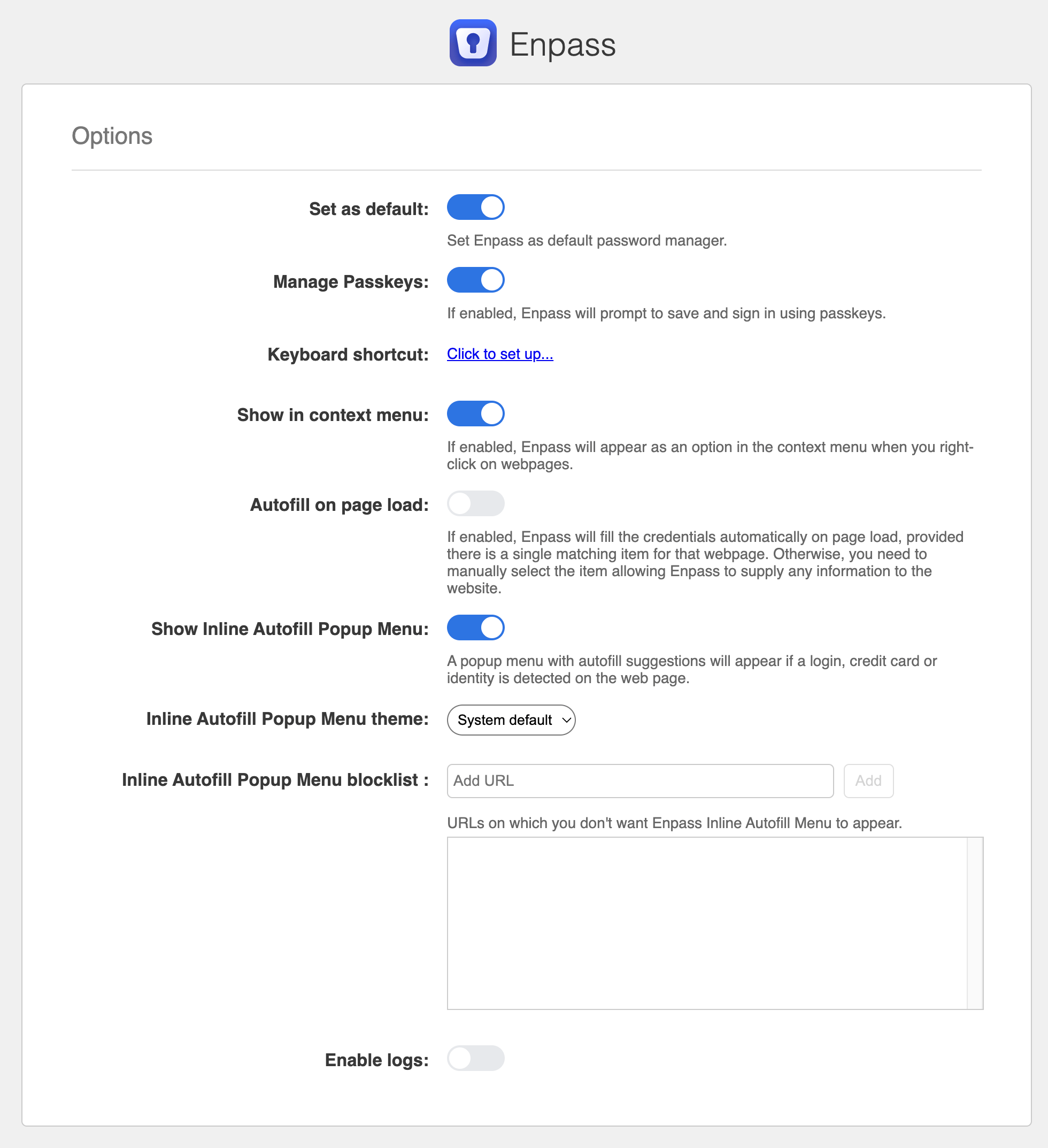
To access the Enpass browser extension settings in browsers other than Safari:
-
Right-click the Enpass icon in your browser toolbar.
-
Select Settings.
To access the Enpass browser extension settings for Safari:
-
In the Enpass app, go to Settings > Browser.
-
Click the Setup button.
To set Enpass as the default password manager for Safari:
For macOS 15 (Sequoia) or later:
-
In your Mac’s System Settings, go to General > Autofill & Passkeys.
-
Turn off the option AutoFill Passwords and Passkeys.
For macOS 13 (Ventura) or 14 (Sequoia):
-
In your Mac’s System Settings, go to Passwords > Password Options.
-
Turn off the option Autofill Passwords.
Other browser-extension features managed in the Enpass app
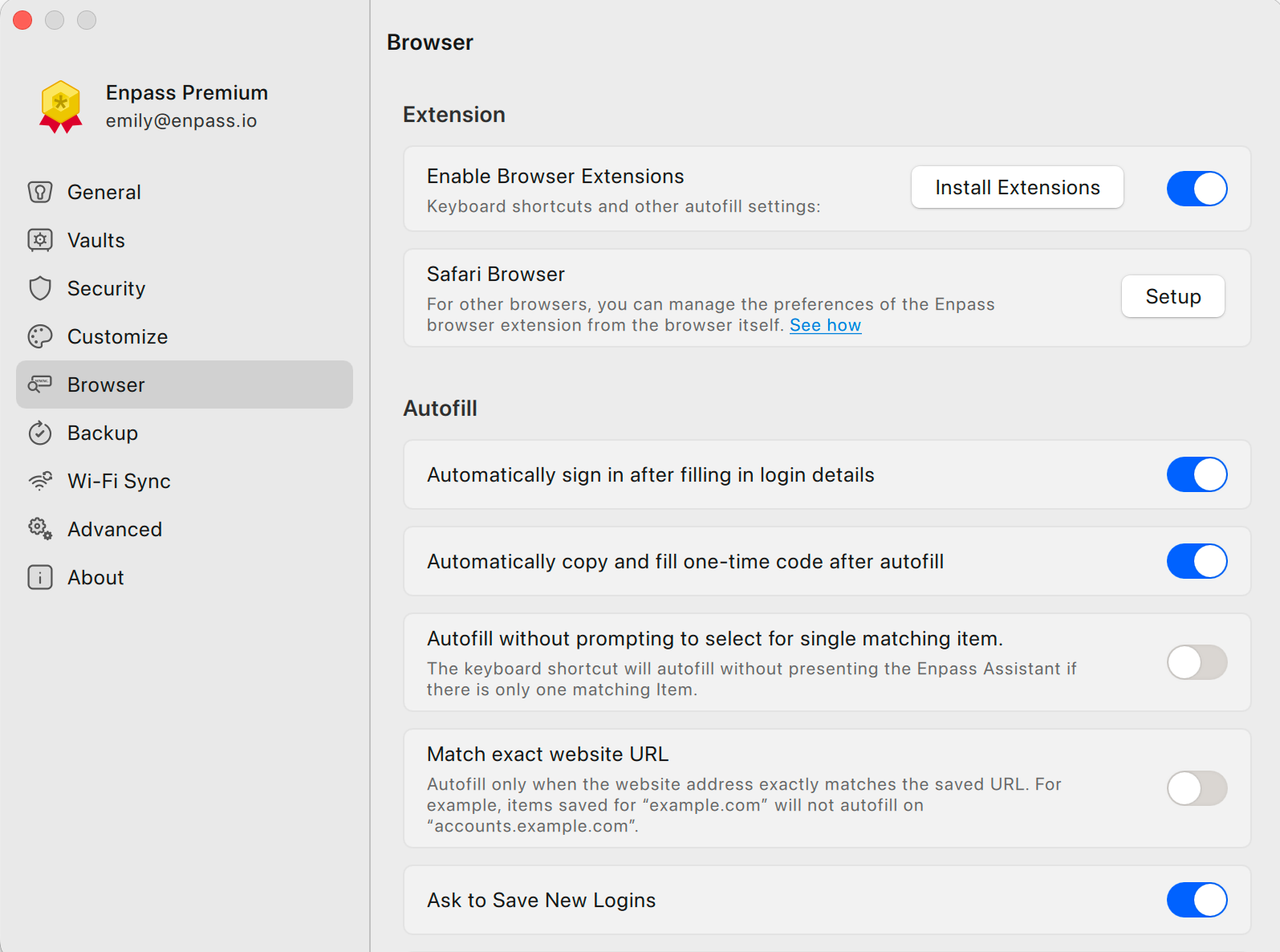
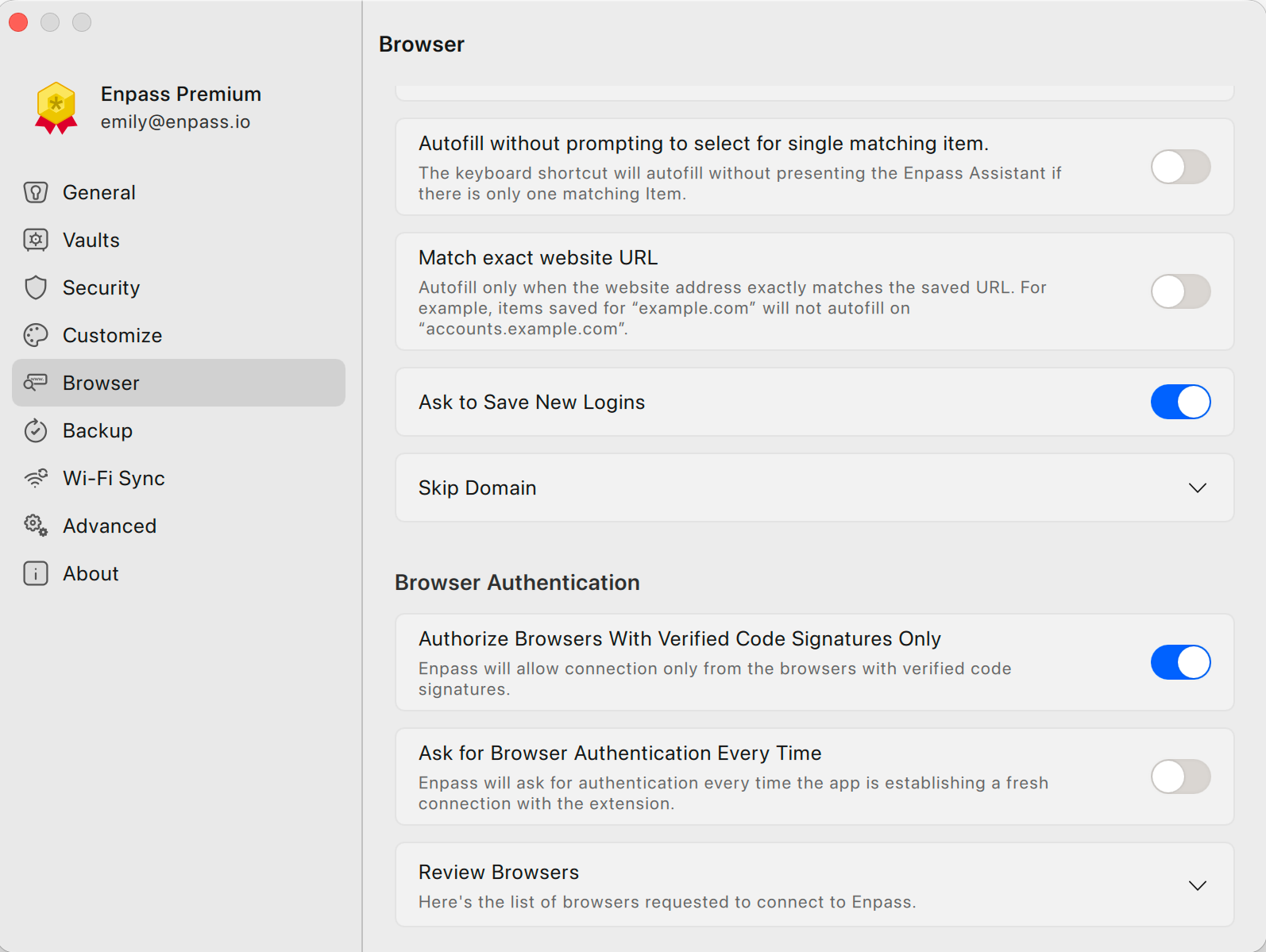
In the Enpass app, go to Settings > Browser to manage:
-
Whether the browser extension is enabled
-
Whether forms are automatically submitted after being autofilled
-
Whether one-time authenticator codes are autofilled
-
Whether autofill can be activated without showing the Enpass Assistant mini-window
-
Whether Items saved with just a primary domain (e.g. domain.com) are allowed to autofill on a related subdomain (subdomain.domain.com)
-
Whether Enpass offers to save your credentials when you login to a new site or account
-
How Enpass authenticates your browser before allowing the extension to access your vaults