.svg)
Disconnecting an Enpass vault from a cloud account
To stop syncing a vault stored in a cloud account, you can disconnect that vault from within Enpass. Disconnecting a vault does not automatically delete the data stored on the cloud service.
Desktop
To disconnect a vault from the cloud in Enpass for desktop:
-
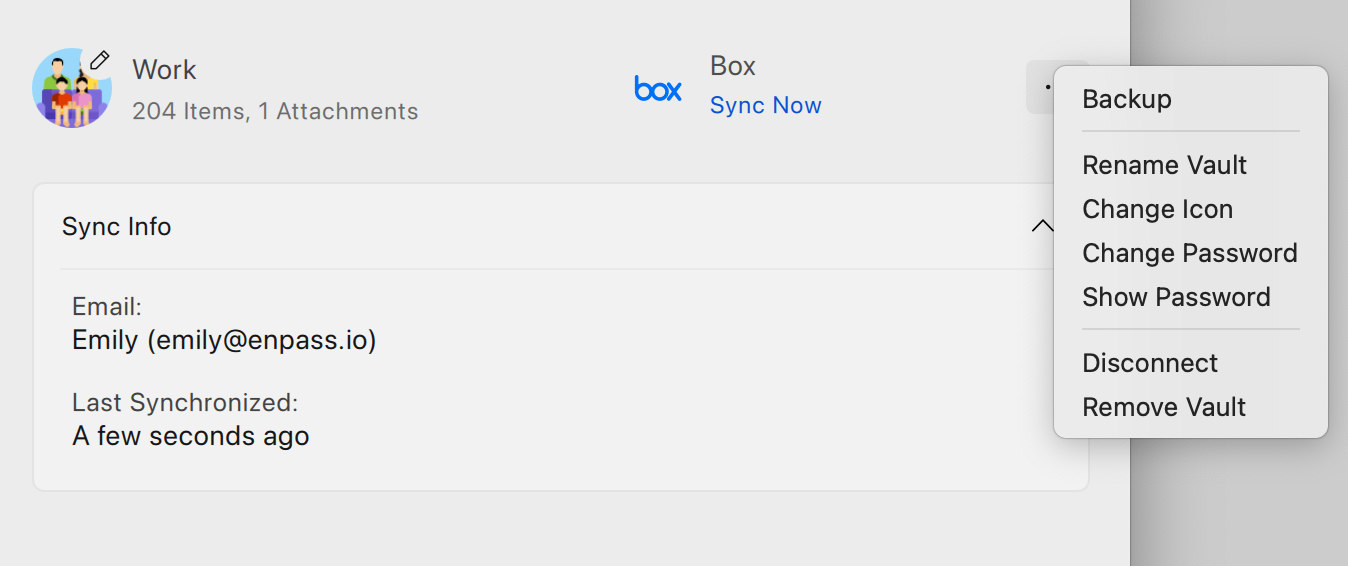
Go to Settings > Vaults, and select the vault you want to disconnect.
-
Click ︙ in the top-right corner, and select Disconnect.
-
If you also want to delete the vault from your cloud storage, turn on the Also delete data option. (This does not delete the data on your device.)
-
Click Disconnect to complete the process.
iOS
To disconnect a vault from the cloud in Enpass for iOS:
-
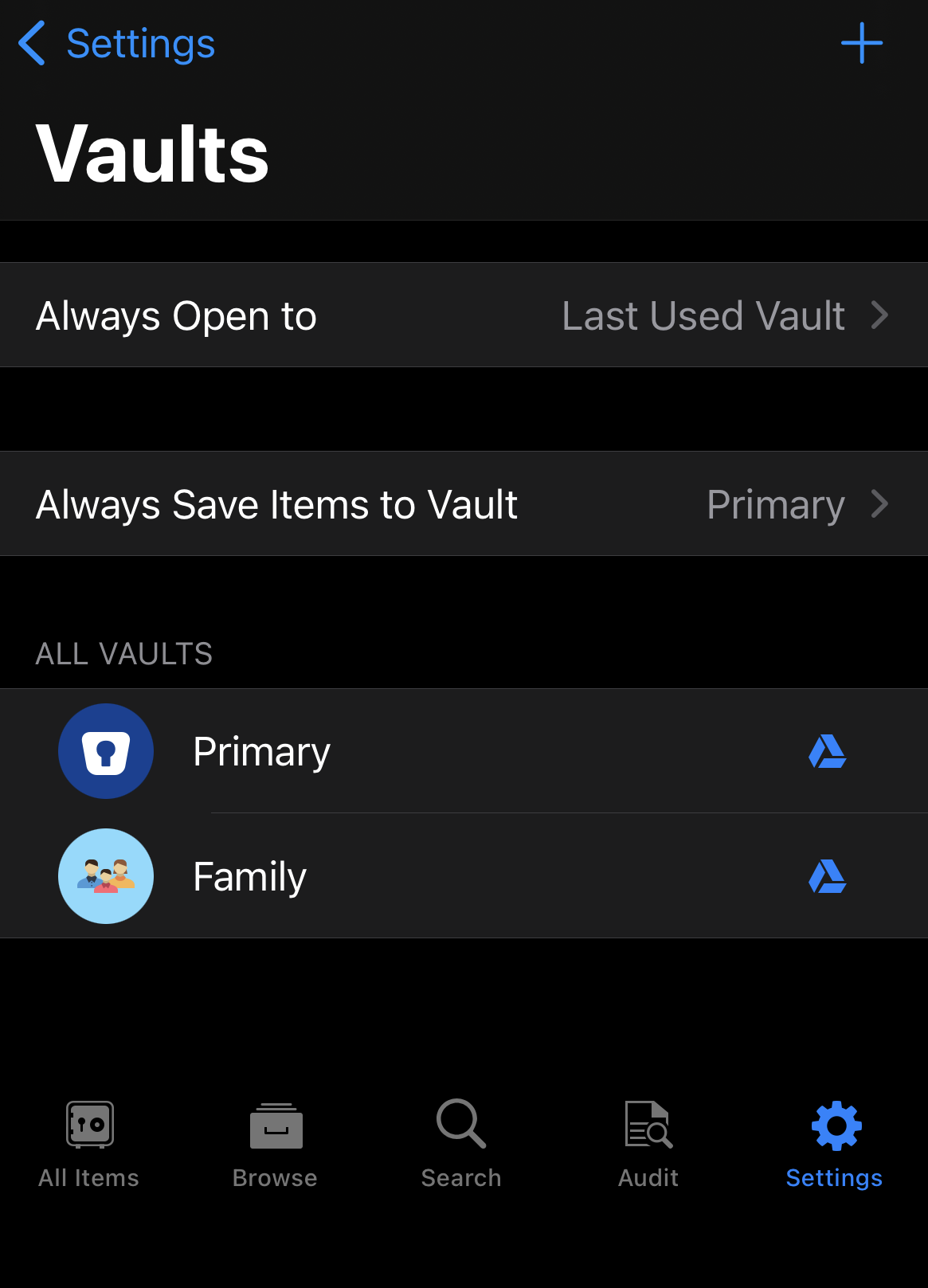
Go to Settings > Vaults, and select the vault you want to disconnect.
-
Tap the cloud service details for the cloud where your vault is synced.
-
Scroll down, and tap the Disconnect button.
-
In the confirmation overlay, tap Disconnect to complete the process.
Android
To disconnect a vault from the cloud in Enpass for Android:
-
Go to Settings > Vaults, and select the vault you want to disconnect.
-
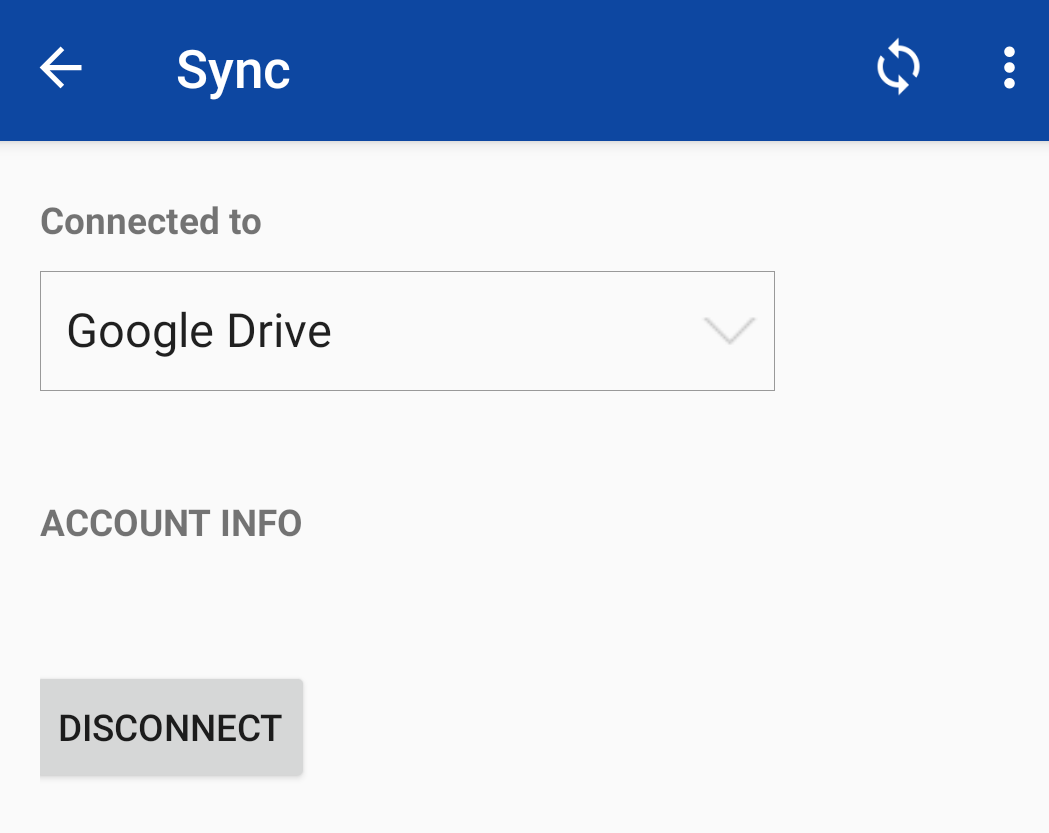
Tap the name of the cloud account.
-
Tap the Disconnect button under the account info heading.
-
In the confirmation overlay, tap Disconnect to complete the process.