.svg)
Setting up sync with WebDAV
Enpass can set up and sync vaults using WebDAV on supported clouds and file hosting services.
To set up sync with WebDAV account:
-
Go to Settings > Vaults, and click Add new vault.
-
Select WebDAV from the list of syncing options.
-
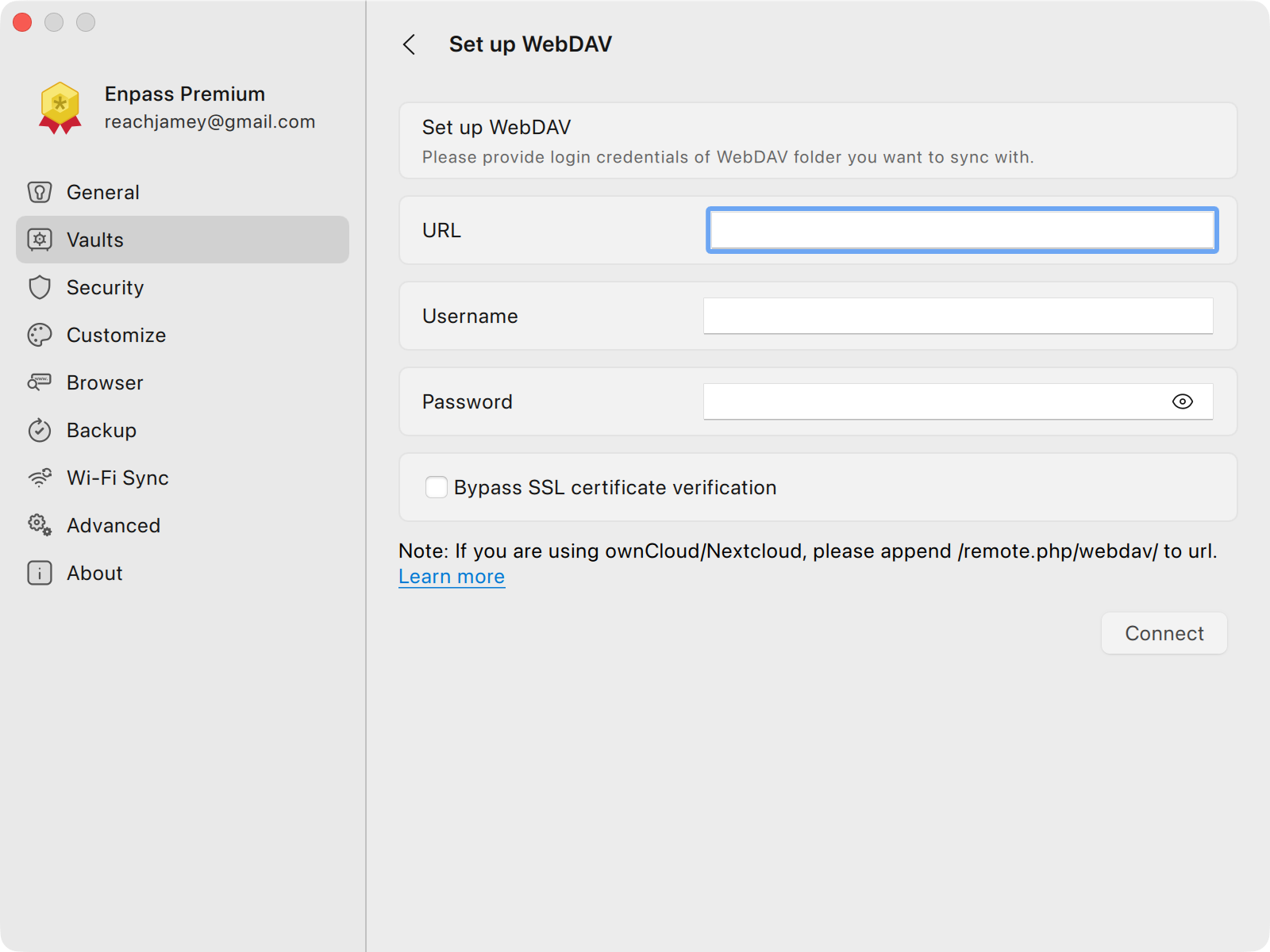
Enter the WebDAV URL of any WebDAV supported clouds or file hosting services
-
Or enter the path of the web folder on your web hosting server.
-
-
Provide the login credentials of your WebDAV supported cloud or file hosting services.
-
Click Connect.
TIPS for using Enpass with WebDAV
-
Use the Bypass SSL certificate verification checkbox if you trust your server and are not using an SSL certificate
-
Different file-hosting service may format their WebDAV URLs differently. If you’re not sure what format to use, check the instructions for your service from the below
-
Or enter the direct path to a folder you’ve created specifically for your Enpass vault
-
Instructions for specific WebDAV-supported services
You can connect Enpass with any WebDAV supported clouds, but here are instructions for some popular services: