.svg)
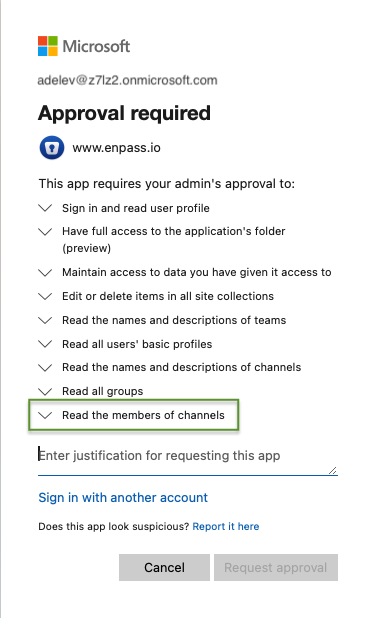
When sharing a vault that exists on private channel on Microsoft 365 account, you may run into a prompt from Microsoft stating "Approval required":
Why am I seeing this message?
Your IT team may have enabled additional security for Microsoft 365 accounts. To share a vault that exists on private channel, you may need a global administrator to approve you a permission to "Read the members of channels" in Microsoft Entra ID.
-
If the message you see includes a Request approval button, click that button to notify your admin that you need the required permission.
-
If the message does not include that button, contact your admin to request permission.
What does the admin need to do?
To approve you a permission to share a vault on private channel:
-
Launch Microsoft’s app authorization process for Enpass with an administrator account.
-
Provide consent on behalf of your organization.
-
Or you can consent for yourself only (consent can be extended to other users later).
-
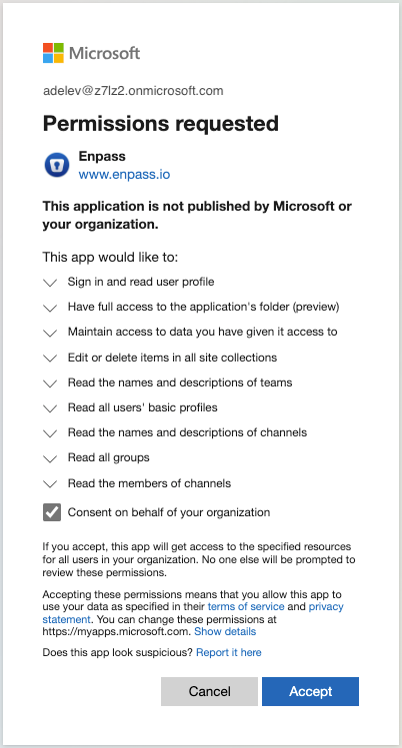
Once this process is complete, you should be able to able to share the vault created on private channel.