.svg)
Password Audit and Breach Monitoring in Enpass
Enpass helps you strengthen your data security by monitoring for unsafe passwords, and alerting you of data breaches that may put your accounts at risk.
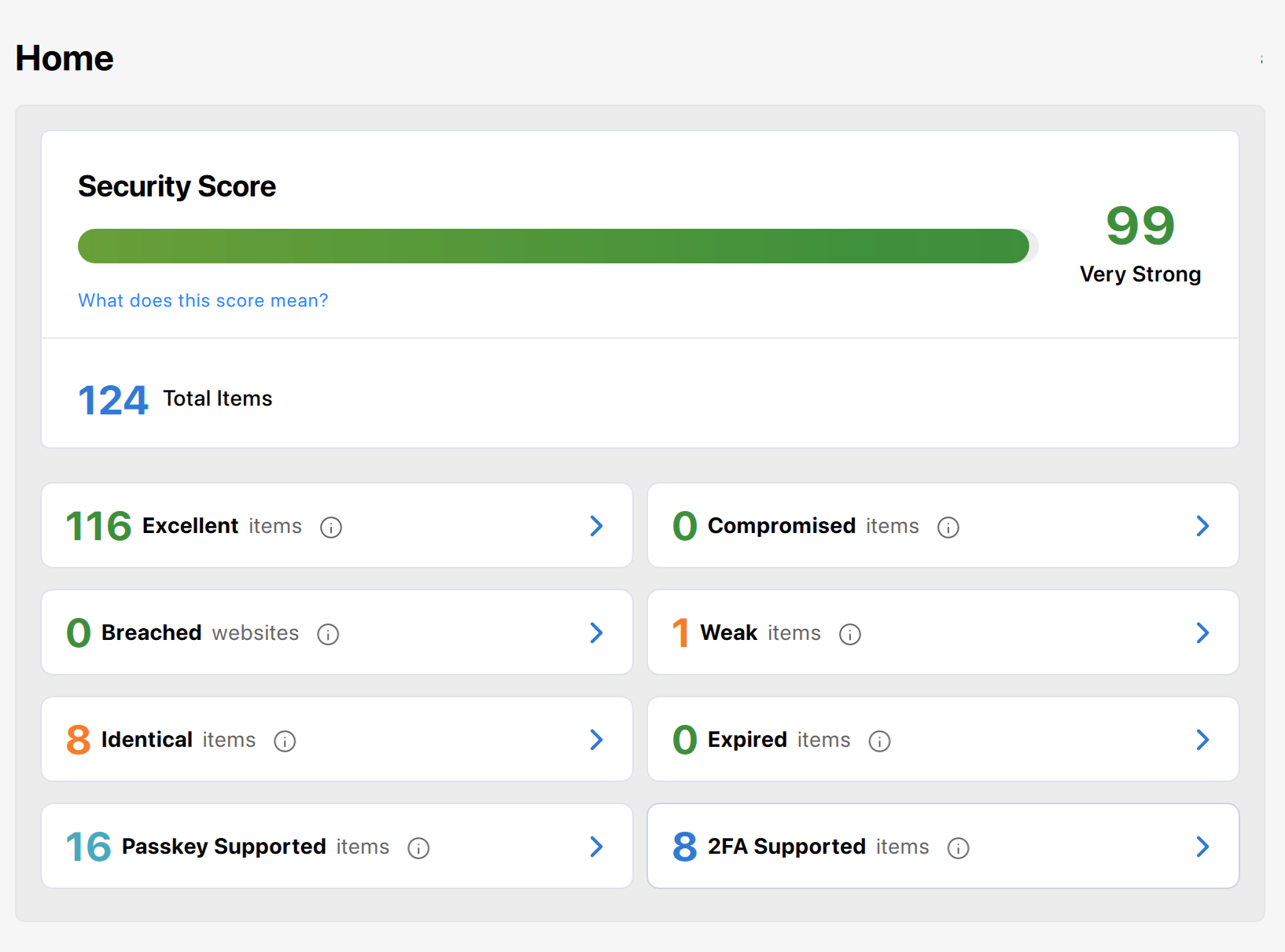
Security audit on the Enpass Home screen
When you launch the Enpass desktop app, or select Audit in the mobile app, the Security Audit screen summarizes your overall password health, including:
-
Your Security Score, on a scale of 0-100, calculated from all the factors below, plus the strength of your Master Password
-
Items with compromised, identical, weak, or expired passwords
-
Items that need to be secured because of recent website breaches
-
Items that could be upgraded to authentication-code (2FA) security
-
Items that could be upgraded to passkey security
Selecting any of these counts will take you to a filtered list of matching Items.
Desktop
To explore Security Audit in Enpass for desktop:
-
The Security Audit screen appears when Enpass is launched
-
To reach this screen any other time, click Home at the top of the Enpass sidebar
-
Select any of the categories to see a filtered list of matching Items
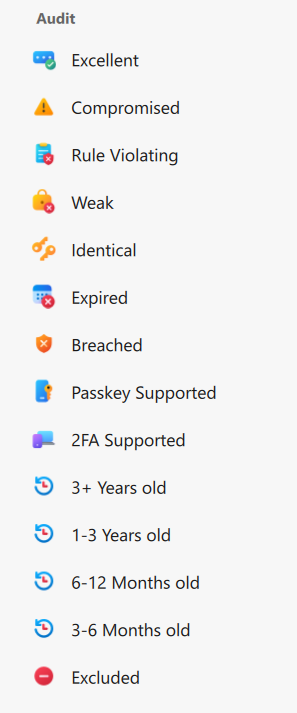
You can also access filtered lists from the Audit and Other sections in the Enpass sidebar:
iOS
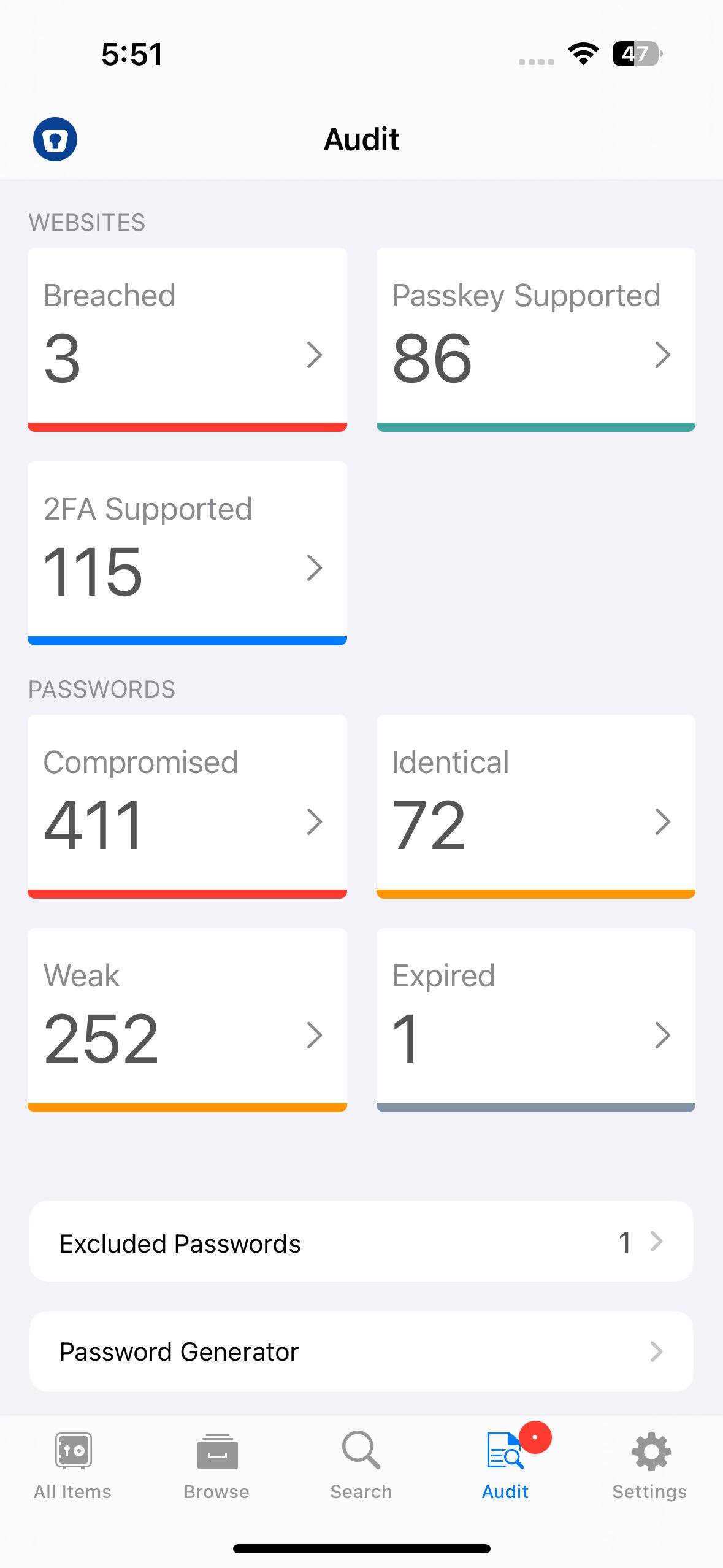
To view the Audit dashboard in Enpass for iOS:
-
Tap the Audit tab.
-
Select any of the categories to see a filtered list of matching Items.
Android
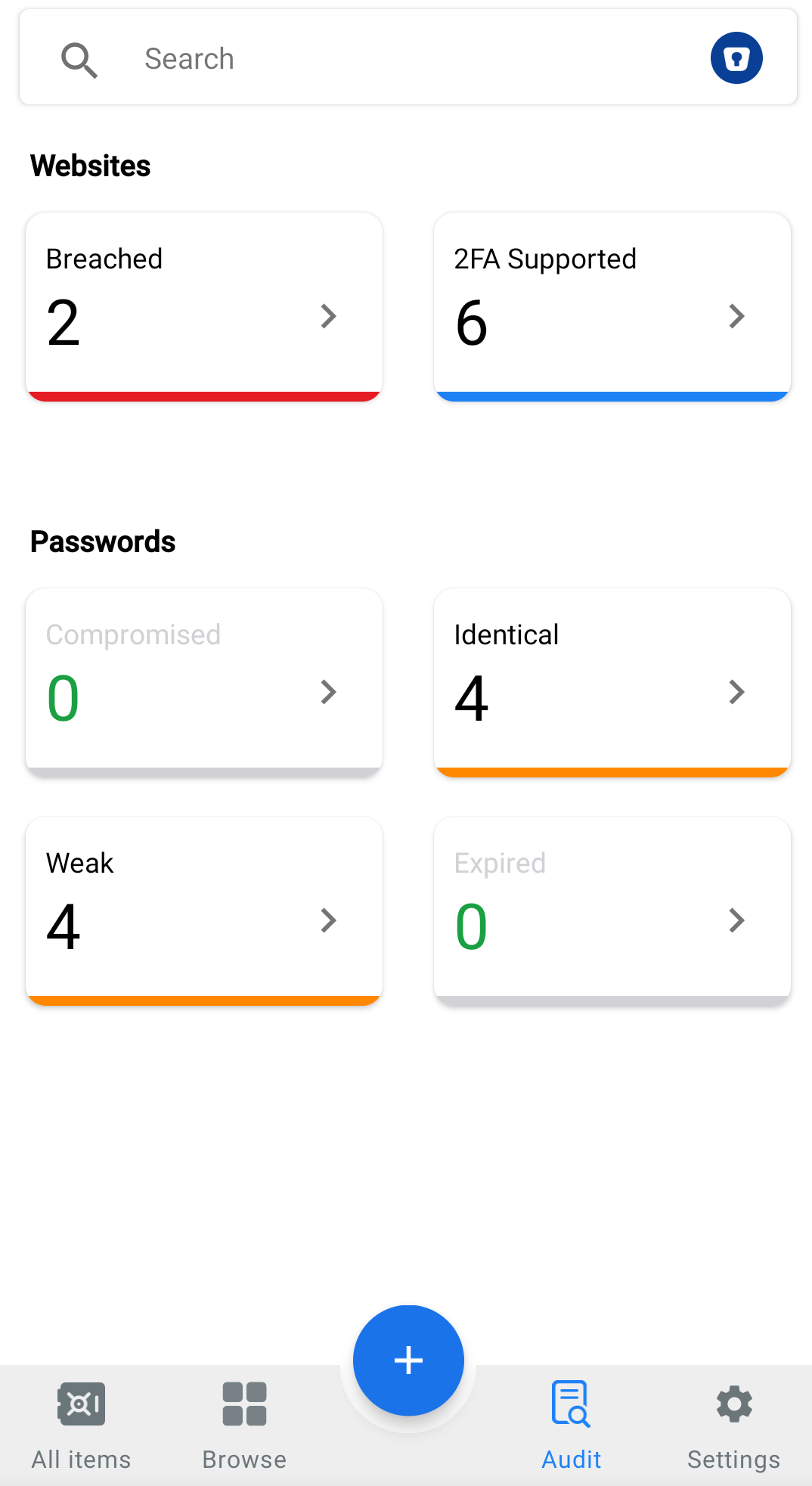
To view the Audit dashboard in Enpass for Android:
-
Tap the Audit tab.
-
Select any of the categories to see a filtered list of matching Items.
Security audit categories
Selecting any of these categories will filter your Items List to show only matching Items.
Excellent items
-
Shows a count of Items that are secured with strong passwords
Compromised passwords
-
Shows a count of Items with unsafe passwords that have appeared in known data breaches or in password databases the dark web
-
Even if they seem strong, these passwords should be immediately
Weak passwords
-
Shows a count of Items with passwords that are unsafe because they are either…
-
Not complex enough to be secure (too short, contain too little variation, etc.)
-
Contain what seem like personal information that could be found online or easily guessed (significant dates, personal or pet names, hobbies, etc.)
-
Identical passwords
-
Shows a count of Items with passwords that are risky because they’re used for more than one Item in your vaults
-
If one account gets compromised, all the other accounts with the same password are at risk
-
Expired passwords
-
Shows a count of Items containing passwords with expiration dates that have passed
-
These are usually for sites that require passwords be changed on a regular basis
-
Breached websites
-
Enpass notifies you whenever a data breach has been reported for any sites, apps, or services saved in your Enpass Items
-
All Items potentially compromised in these breaches will be included in this count until their passwords are changed
2FA Supported items
-
Shows a count of Items that can use auto-generated two-factor authentication codes for stronger security
-
Using such codes provides an additional layer of security for your accounts
Passkey Supported items
-
Shows a count of Items that can use passkeys for stronger security and password-less sign-in
-
Passkeys provide stronger, safer and easier security than passwords