.svg)
Generating complex random passwords in Enpass
A strong password should be long, with a random combination of symbols, letters, and numbers. While generating random passwords — for example, while creating a new account — you can decide the length of the password, and the minimum number of uppercase, digits, and symbols used in the passwords. When generate a password while on a website, Enpass will automatically adhere to that site’s password requirements and restrictions.
Desktop
To generate a random password in Enpass for desktop:
-
When adding an item, editing an item, or capturing & saving login credentials…
-
Below the password field, click the Generate button.
-
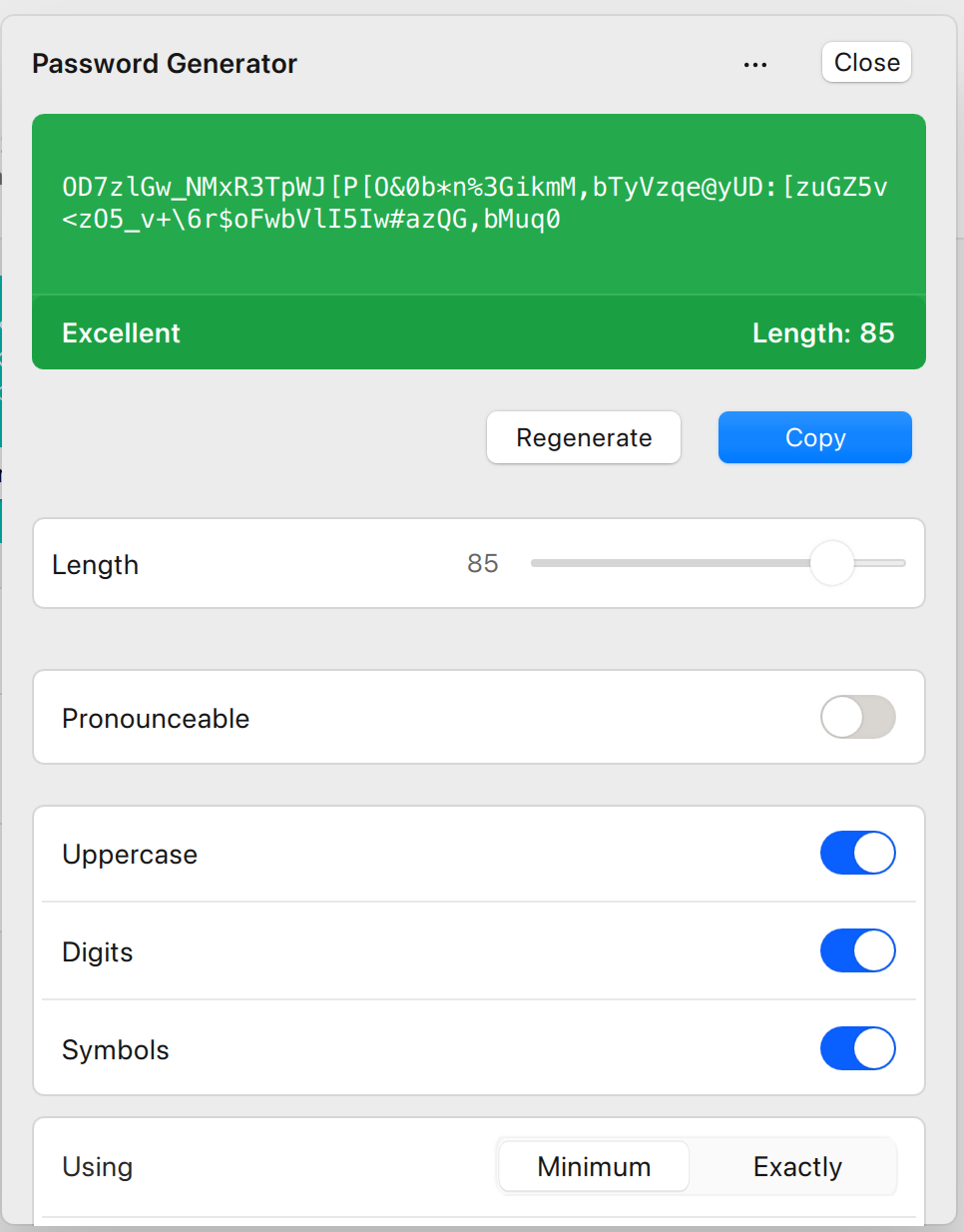
In the Generate Password overlay, use the controls provided to adjust...
-
Password length
-
Which kinds of characters can be included
-
Whether the password is pronounceable
-
-
For even more detailed controls, click More Options at the bottom of generator.
Android
To generate a random password in Enpass for Android:
-
When adding an item, editing an item, or capturing & saving login credentials…
-
Below the password field, tap the Generate button.
-
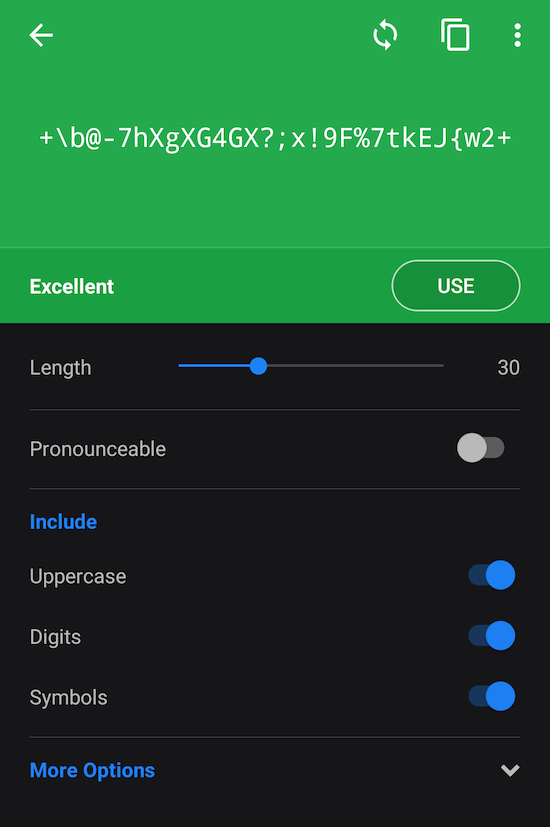
In the Generate Password screen, use the controls provided to adjust...
-
Password length
-
Which kinds of characters can be included
-
Whether the password is pronounceable
-
-
For even more detailed controls, tap More Options at the bottom of generator.
Turning on the Ambiguous Characters option prevents the use of characters that can be mistaken for each other by the human eye, like 0 vs O, and 1 vs I (uppercase i) vs l (lower case L).