.svg)
Additional customization options for password fields
Password fields in Enpass have additional customization options for setting expiration dates and excluding a password from Password Audit.
Desktop
To customize a password field in Enpass for desktop:
-
In the Item Details view, click

-
Click the label of password field that you want to customize.
-
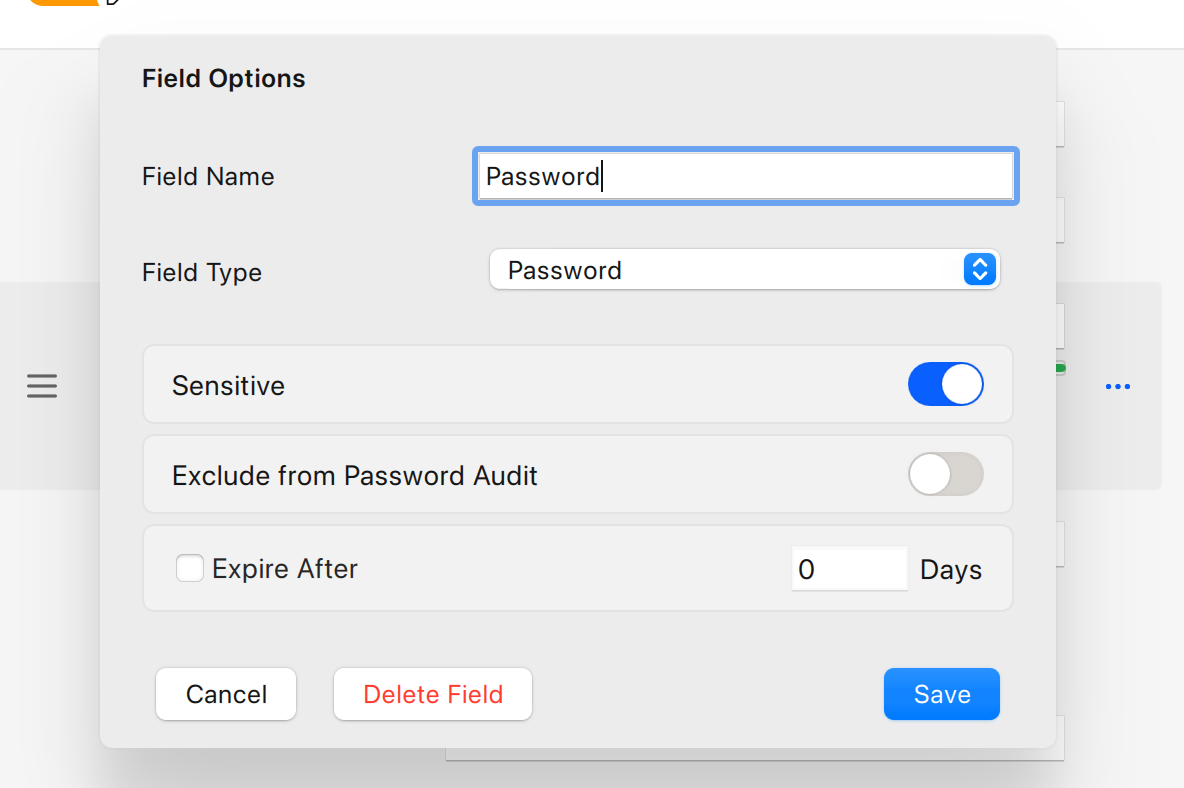
To ignore this password in audits, select the Exclude from the Password Audit checkbox.
-
To set an expiration date, select the Expire After checkbox, then enter a number of days.
-
Select the Sensitive checkbox (if it’s not already checked), and click Save.
-
Click Save to close the field-edit overlay.
-
Click Save in the toolbar to update your Item.
iOS
To customize the password field in Enpass for iOS:
-
In the Item Details view, tap Edit.
-
Tap the label of password field that you want to customize.
-
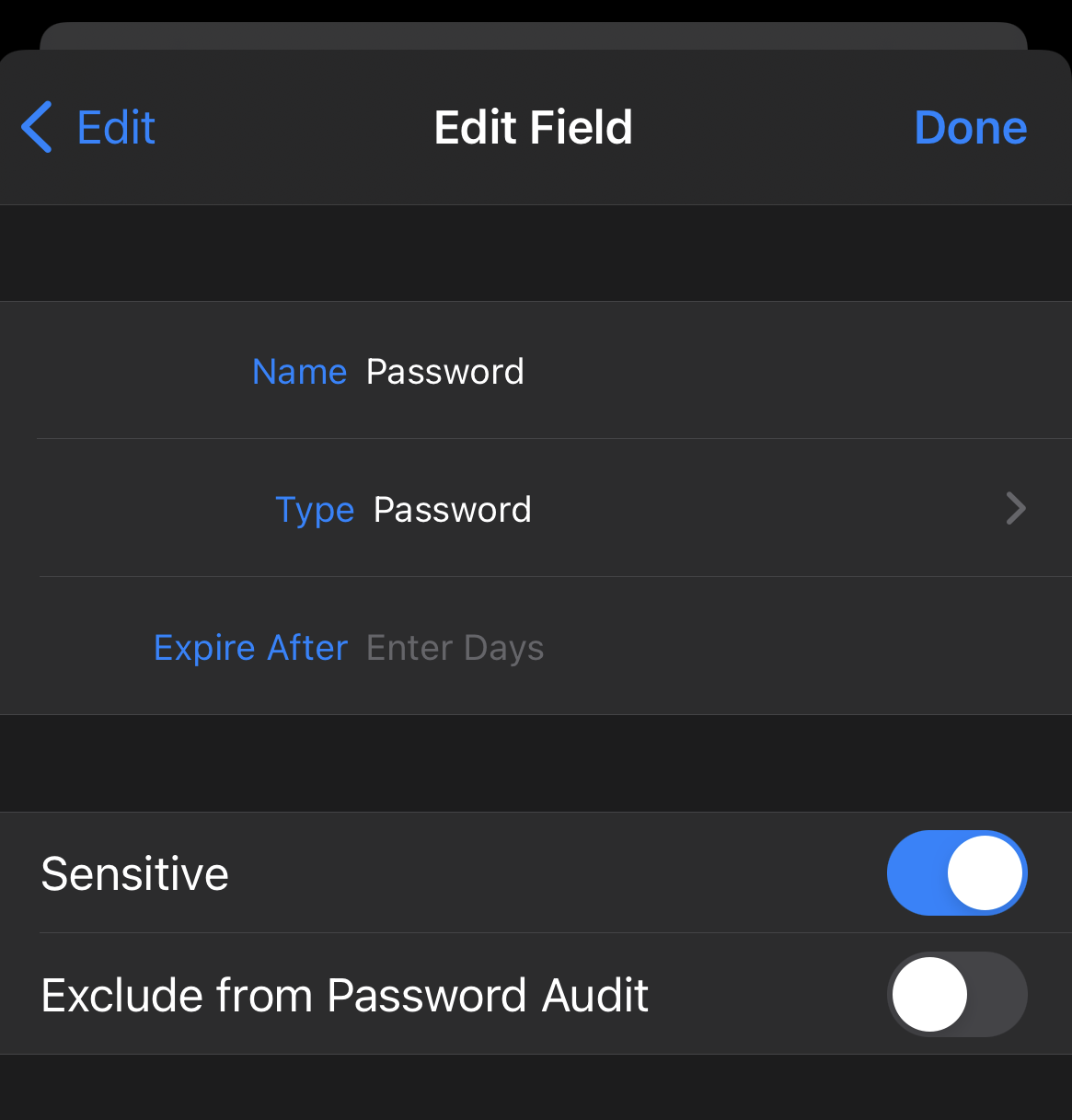
To ignore this password in audits, turn on the Exclude from the Password Audit option.
-
To set an expiration date, tap the Expire After field, and enter a number of days.
-
Turn on the Sensitive option (if it’s not already on), and tap Done.
-
Tap Save in the Item Details view to update your Item.
Android
To customize the password field in Enpass for Android:
-
In the Item Details view, tap
-
Tap the label of password field that you want to customize.
-
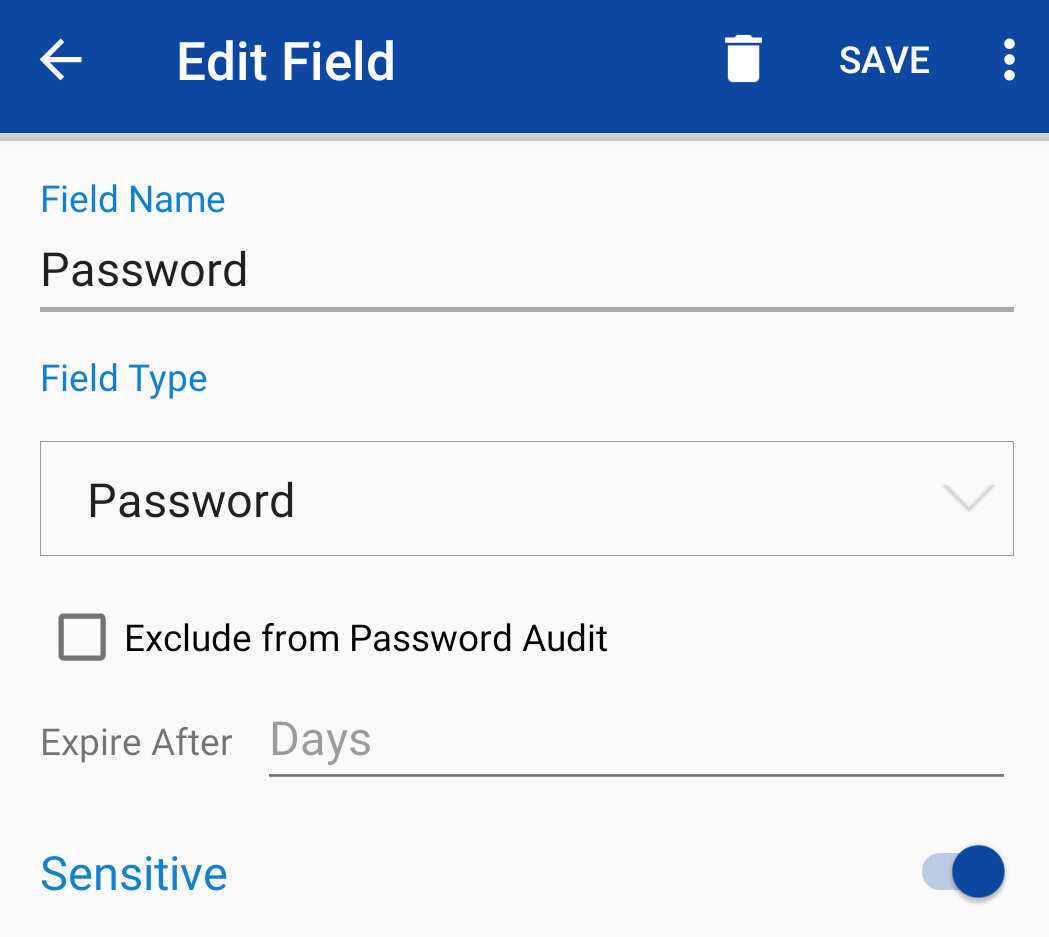
To ignore this password in audits, select the Exclude from the Password Audit checkbox.
-
To set an expiration date, tap the Expire After field, and enter a number of days.
-
Turn on the Sensitive option (if it’s not already on), and tap Save.
-
Tap Save in the Item Details view to update your Item.
Enpass hides the information in fields marked as Sensitive. Information and passwords in those fields are masked as black dots.