.svg)
Viewing password & field histories in Enpass Items
Enpass retains a history for each field in an Enpass Item, including password history.
Desktop
To view a field’s history in Enpass for desktop:
-
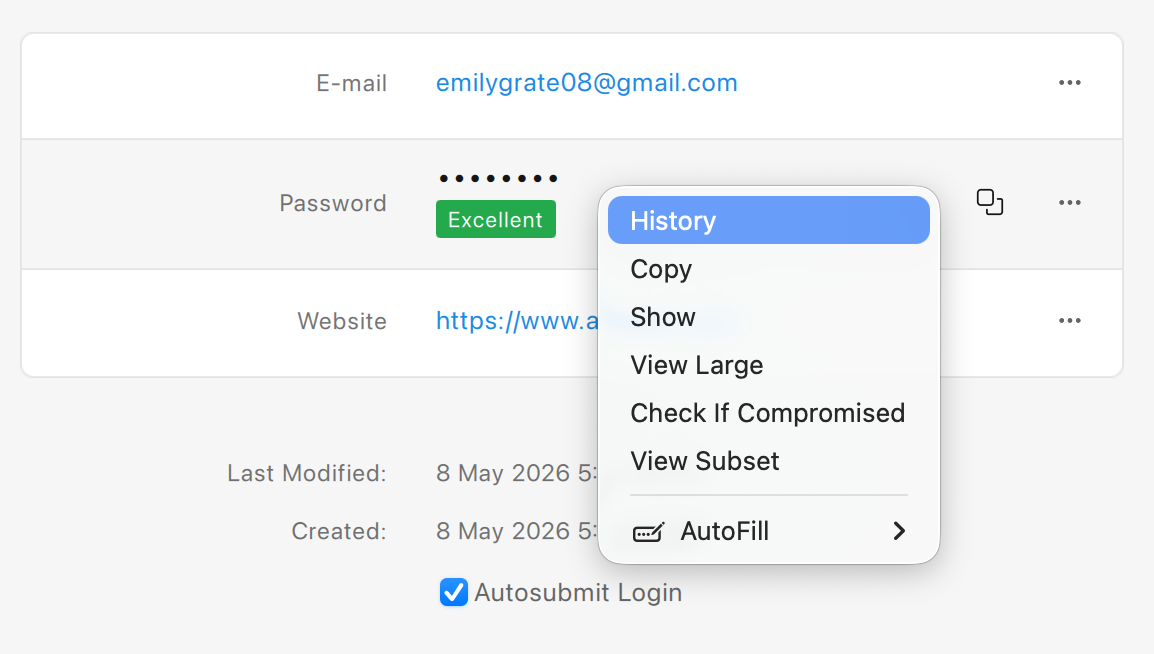
In the Item Details view, right-click any field's content, and select History.
-
When finished click ✖ to close the History view.
iOS
To view a field’s history in Enpass for iOS:
-
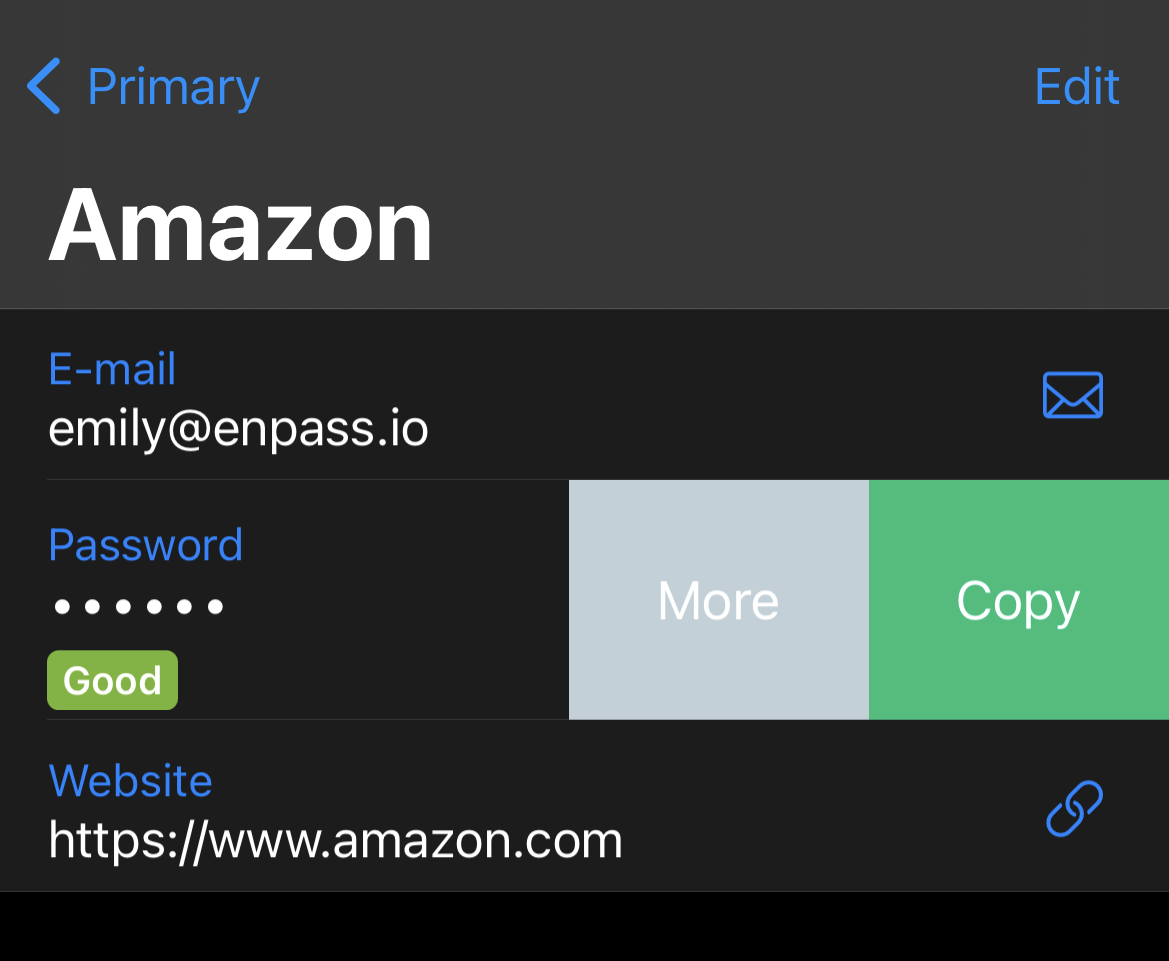
In the Item Details view, tap a field’s content.
-
Tap More, and select History.
-
When finished tap Cancel to close the History view.
Android
To view the field history in Enpass for Android:
-
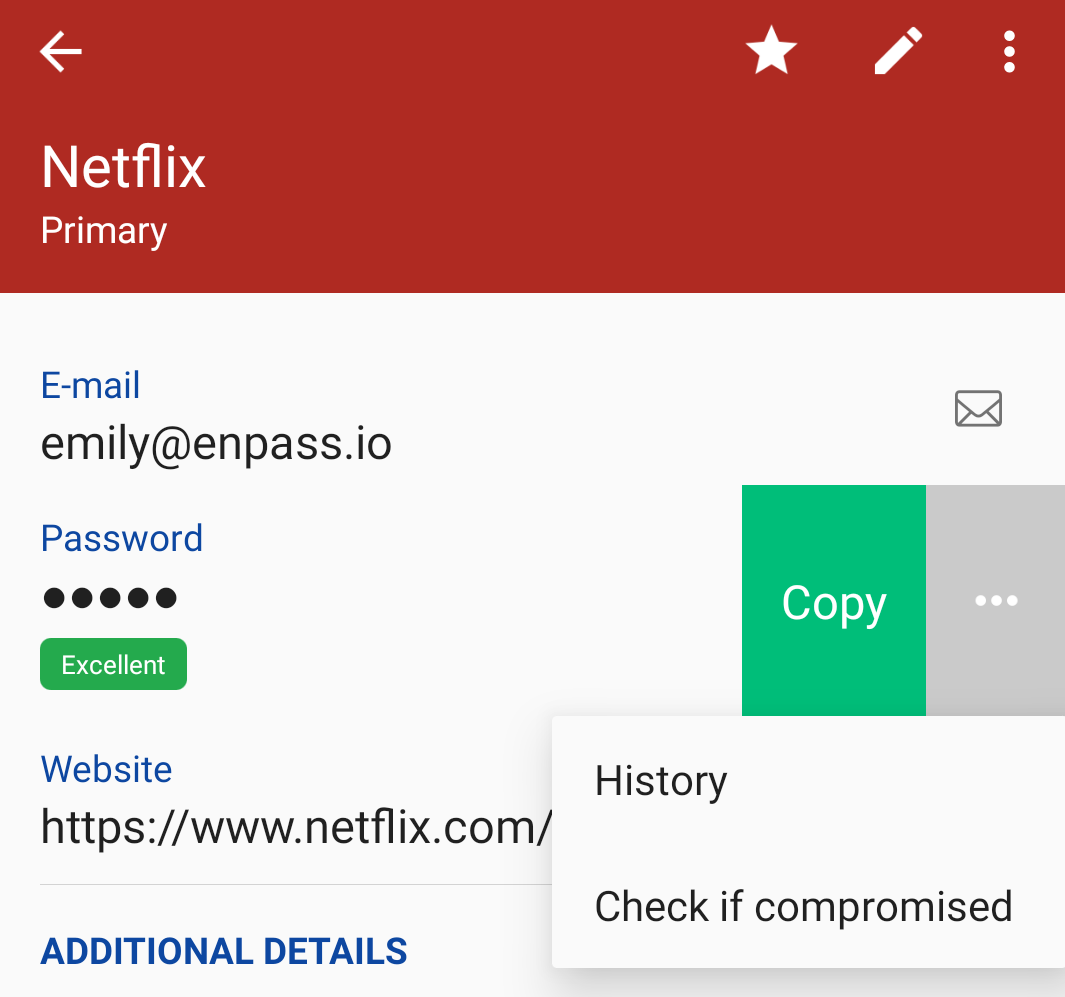
In the Item Details view, tap the right edge of any field’s content.
-
Tap ••• at the right side of the field and select History.
-
When finished tap the Back icon to exit the History view.