.svg)
Generating pronounceable passwords in Enpass
Pronounceable passwords contain a string of randomly generated, easy-to-read dictionary words that combine to make a strong — but more memorable. Such passwords are harder to crack than passwords based on personal information. Enpass uses Diceware methodology to generate pronounceable passwords.
Desktop
To generate a pronounceable password in Enpass for desktop:
-
When adding an item, editing an item, or capturing & saving login credentials…
-
Below the password field, click the Generate button.
-
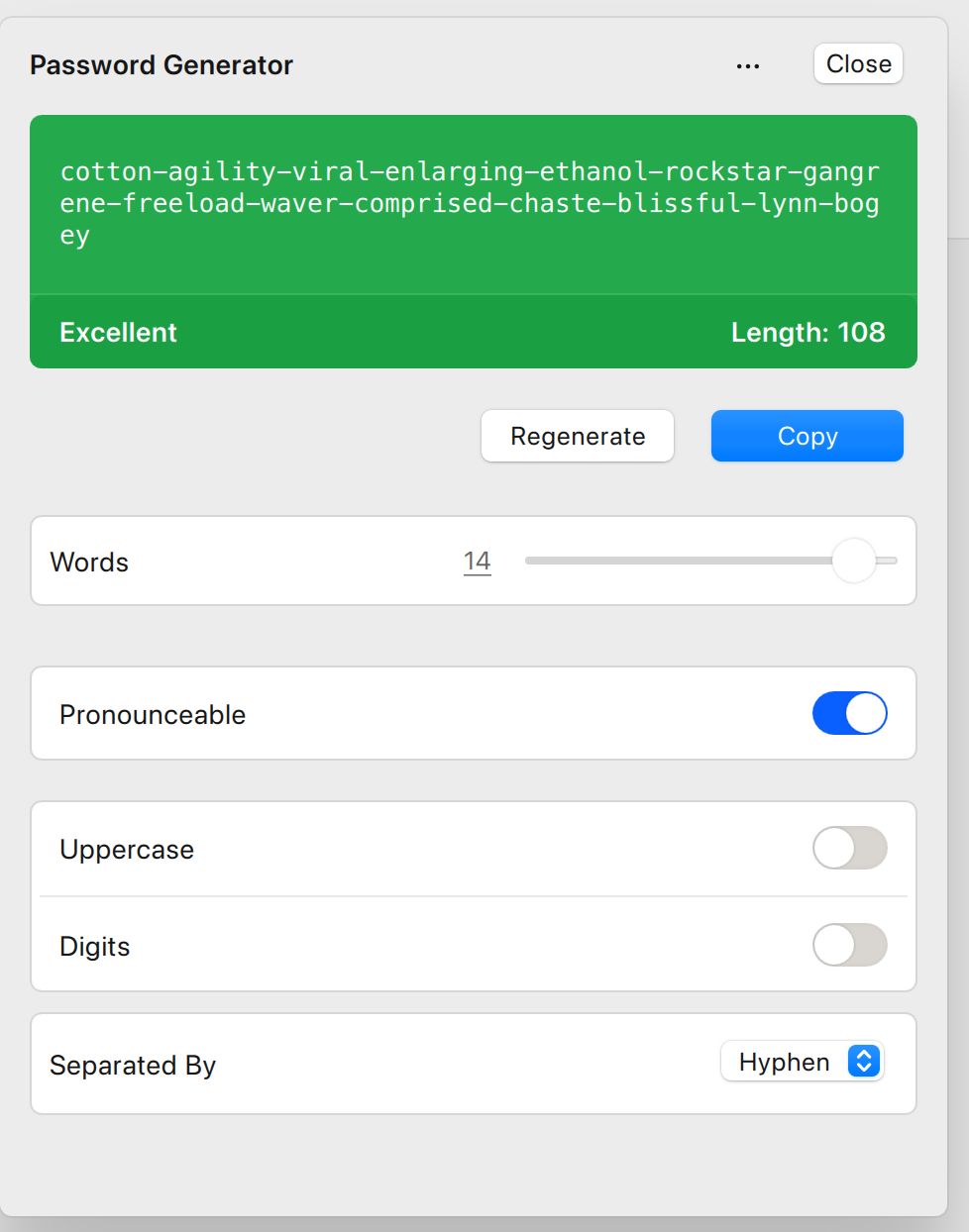
Turn on the Pronounceable option.
-
Use the Words slider to determine the number of words in your new password, and the other controls to determine kinds of characters can be included.
-
For even more detailed controls tap More Options at the bottom of generator.
iOS
To generate a pronounceable password in Enpass for iOS:
-
When adding an item, editing an item, or capturing & saving login credentials…
-
Below the password field, tap the Generate Password button.
-
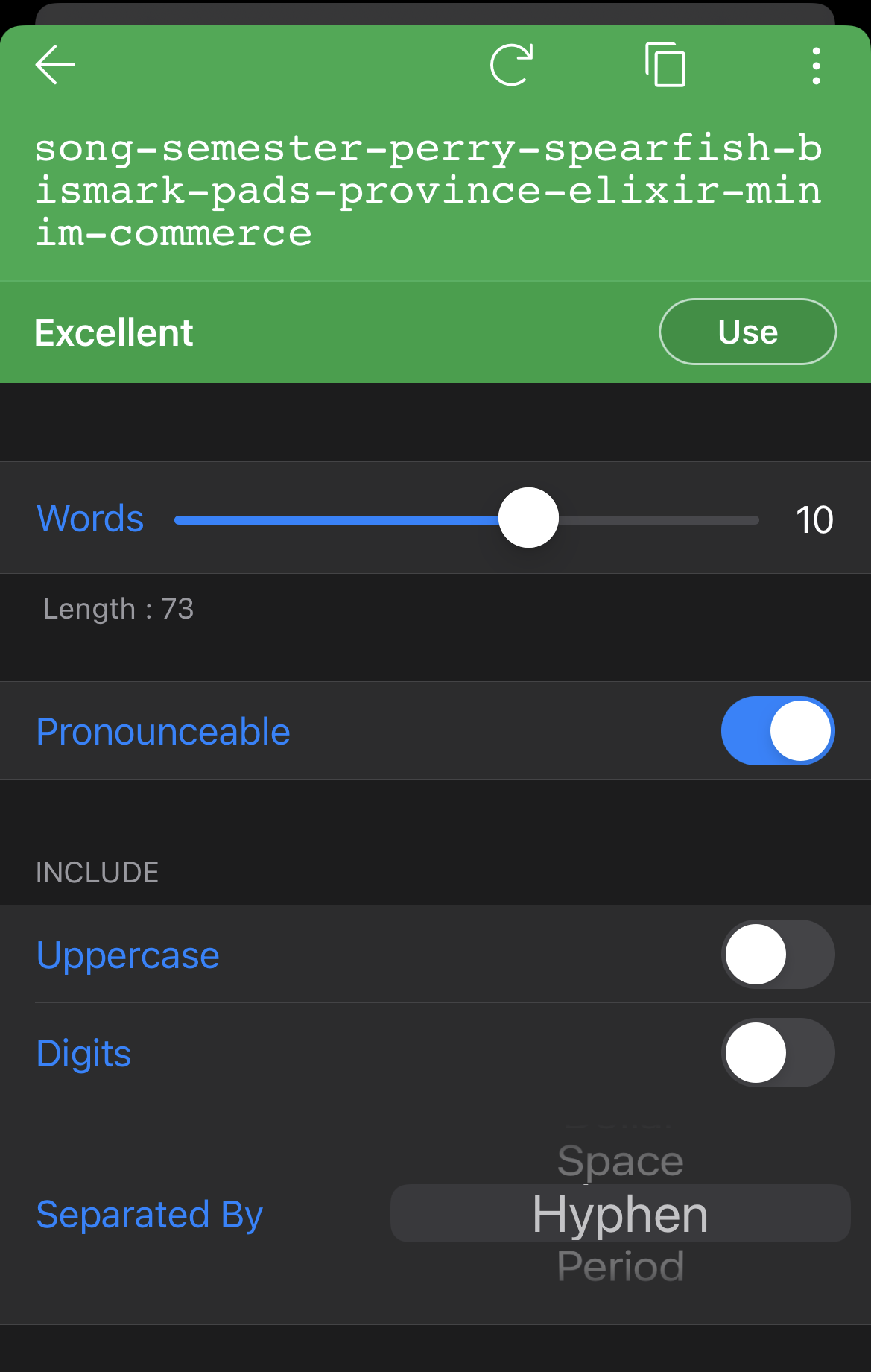
Turn on the Pronounceable option.
-
Use the Words slider to determine the number of words in your new password, and the other controls to determine kinds of characters can be included.
-
For even more detailed controls tap More Options at the bottom of generator.
Android
To generate a pronounceable password for iOS
-
When adding an item, editing an item, or capturing & saving login credentials…
-
Below the password field, tap the Generate button.
-
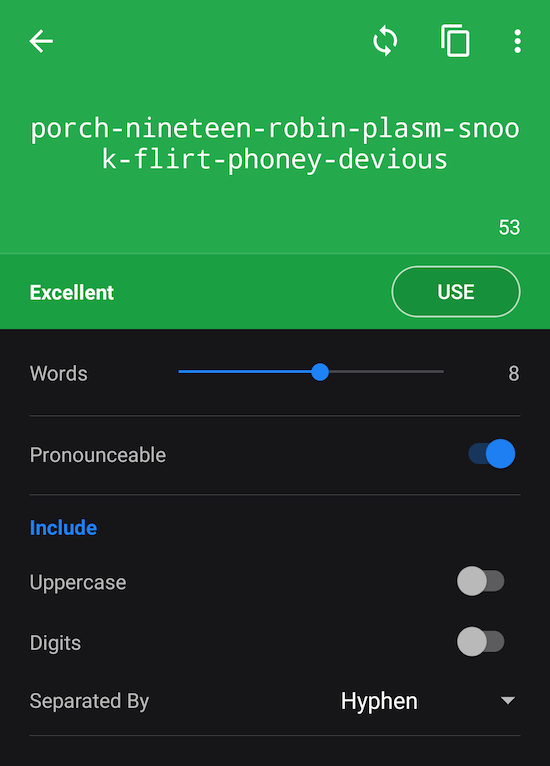
Turn on the Pronounceable option.
-
Use the Words slider to determine the number of words in your new password, and the other controls to determine kinds of characters can be included.
-
For even more detailed controls tap More at the bottom of generator.
Pronounceable passwords can be made stronger and safer by using the Uppercase, Digits and Separated By options.
Turning on the Ambiguous Characters option prevents the use of characters that can be mistaken for each other by the human eye, like 0 vs O, and 1 vs I (uppercase i) vs l (lower case L).