.svg)
Troubleshooting:
Wi-Fi Sync error: No vault is available for syncing over the local network
For the Wi-Fi Sync Server in Enpass to serve vaults over your network, those vaults must first manually added to the computer being used as server. This error means no vaults can be found on the Wi-Fi Sync Server.
To add a vault to the Wi-Fi Sync Server:
-
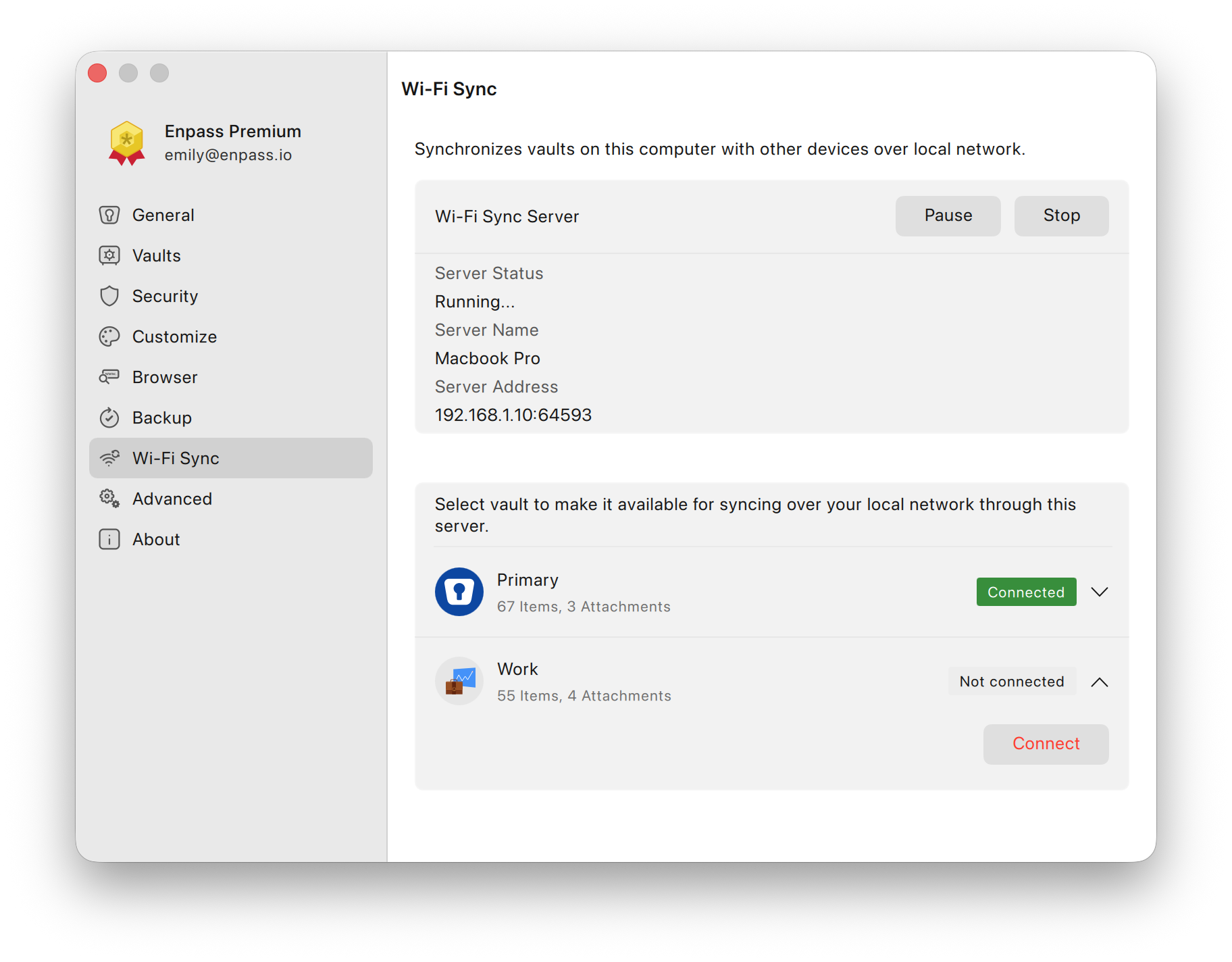
In the Enpass app on the computer acting as the Wi-Fi Sync Server, go to Settings > Wi-Fi Sync.
-
Select the vault you want to sync over Wi-Fi.
-
Click on Connect.
-
Once the vault is added, close and relaunch Enpass on the device where the error occurred, and try again.
If you have questions or need assistance:
-
Visit the Enpass Discussion Forum or contact Enpass Support