.svg)
Deleting Items from Enpass
Old and unused Enpass Items can be archived or moved to the trash, where they remain until the trash is emptied or the Item is permanently deleted.
Desktop
To delete an Item in Enpass for Desktop:
-
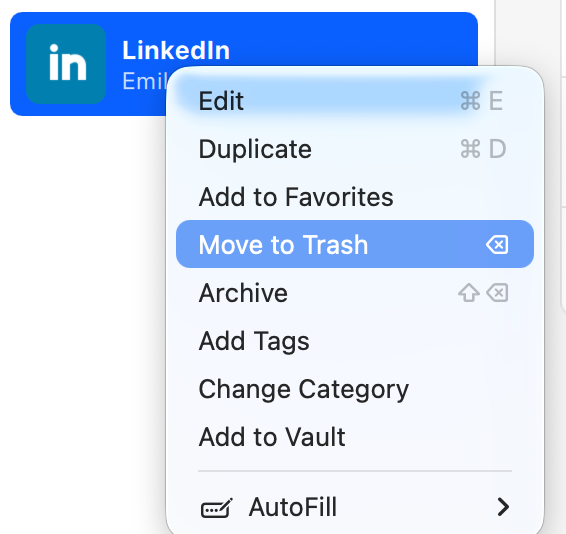
In the List View, right-click the Item, and select Move to Trash.
-
In the pop-up confirmation warning, click OK.
OR
-
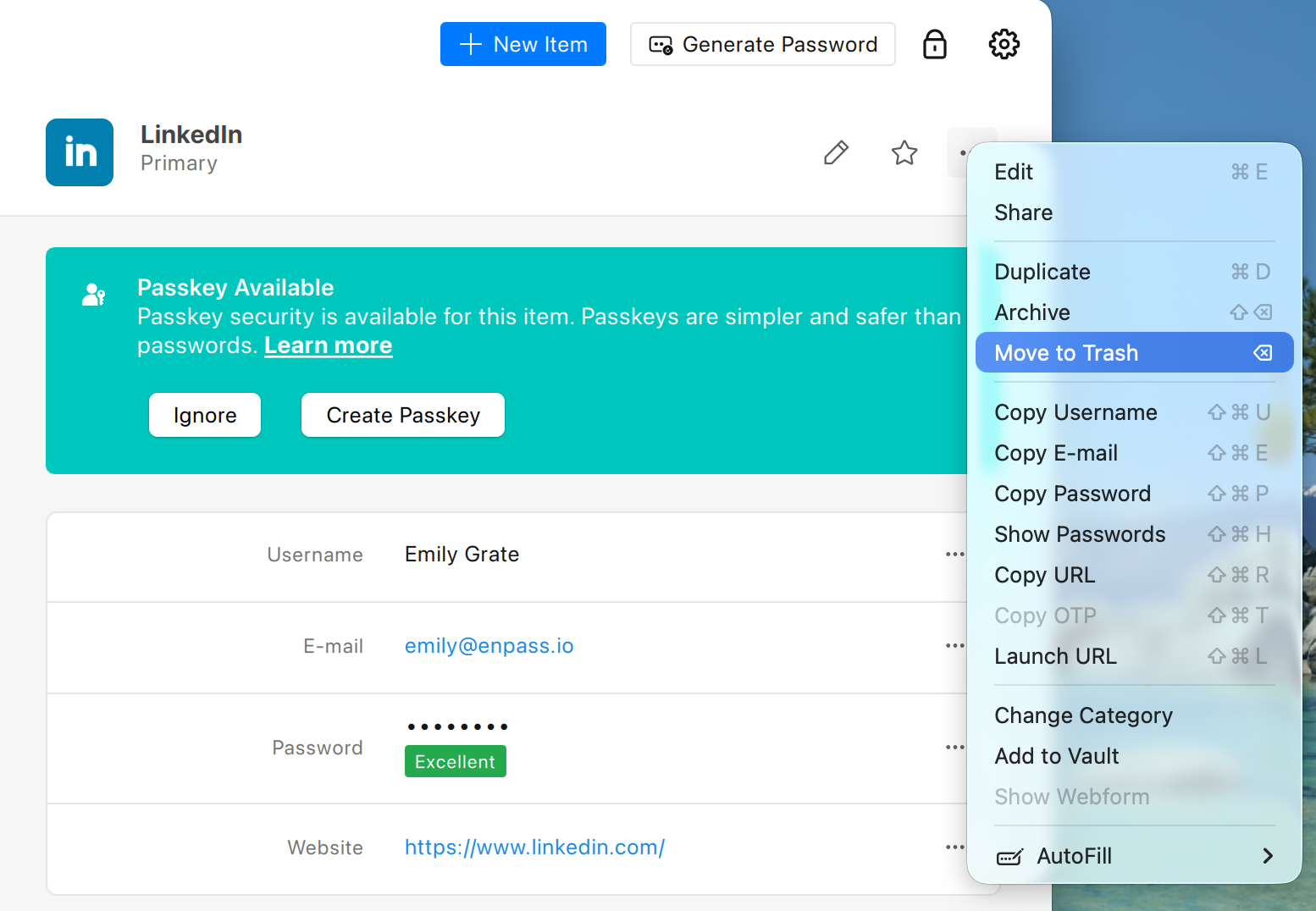
Or in Item Details, click ︙ in the top-right corner and select Move to Trash.
-
In the pop-up confirmation warning, click OK.
To delete the Item permanently:
-
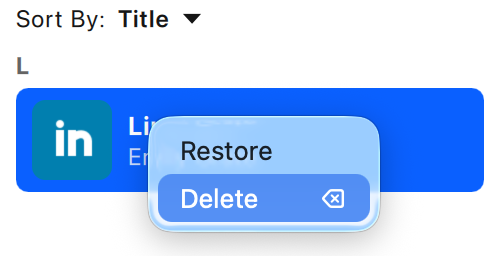
In the Others section at the bottom of the sidebar, select Trashed.
-
Find and right-click the Item you’re removing, then select Delete.
-
In the pop-up confirmation warning, click OK.
iOS
To delete an Item in Enpass for iOS:
-
In Item Details, scroll through the available actions, and select Move to Trash.
-
Scroll down and tap Move to Trash.
To delete the Item permanently:
-
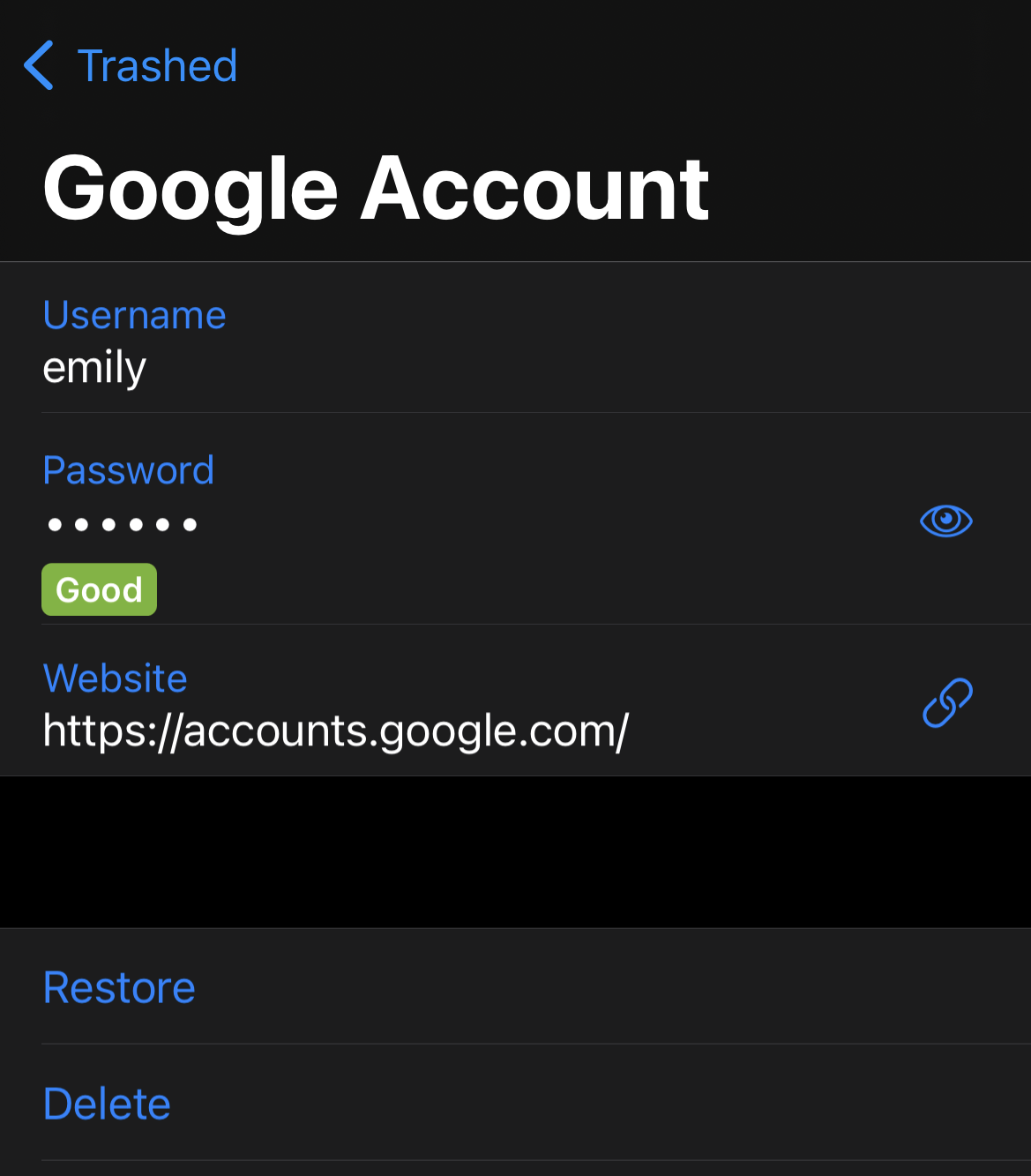
In the Browse tab, scroll to the Others sections, then select Trashed.
-
Select the Item you’re removing, scroll to the bottom, then tap Delete.
-
In the pop-up confirmation warning, tap OK to delete the Item permanently.
Android
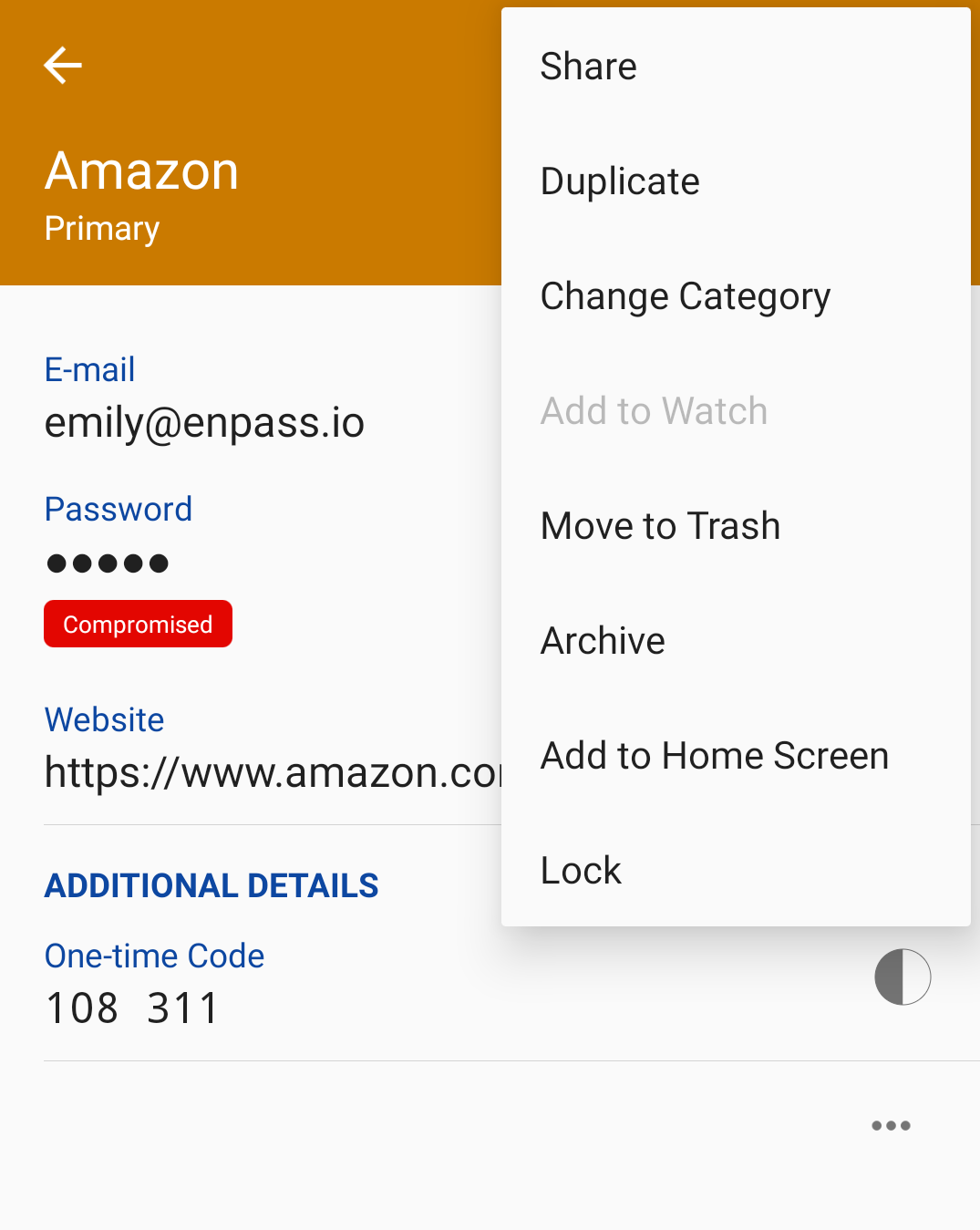
To delete an Item in Android:
-
In Item Details, tap ︙ in the top-right corner, and select Move to Trash.
To delete the Item permanently:
-
In the Browse tab, scroll to the Others sections, then select Trashed.
-
Select the Item you’re removing, then long-tap and select Delete.
-
In the pop-up confirmation warning, tap OK to delete the Item permanently.