.svg)
To get the most out of Enpass Business, there are a few features you should enable. These will improve your team's password hygiene, speed up adoption by employees, allow teams to share credentials, and help users recover access if they lose their Master Password.
Step 1: Enable recommended features
-
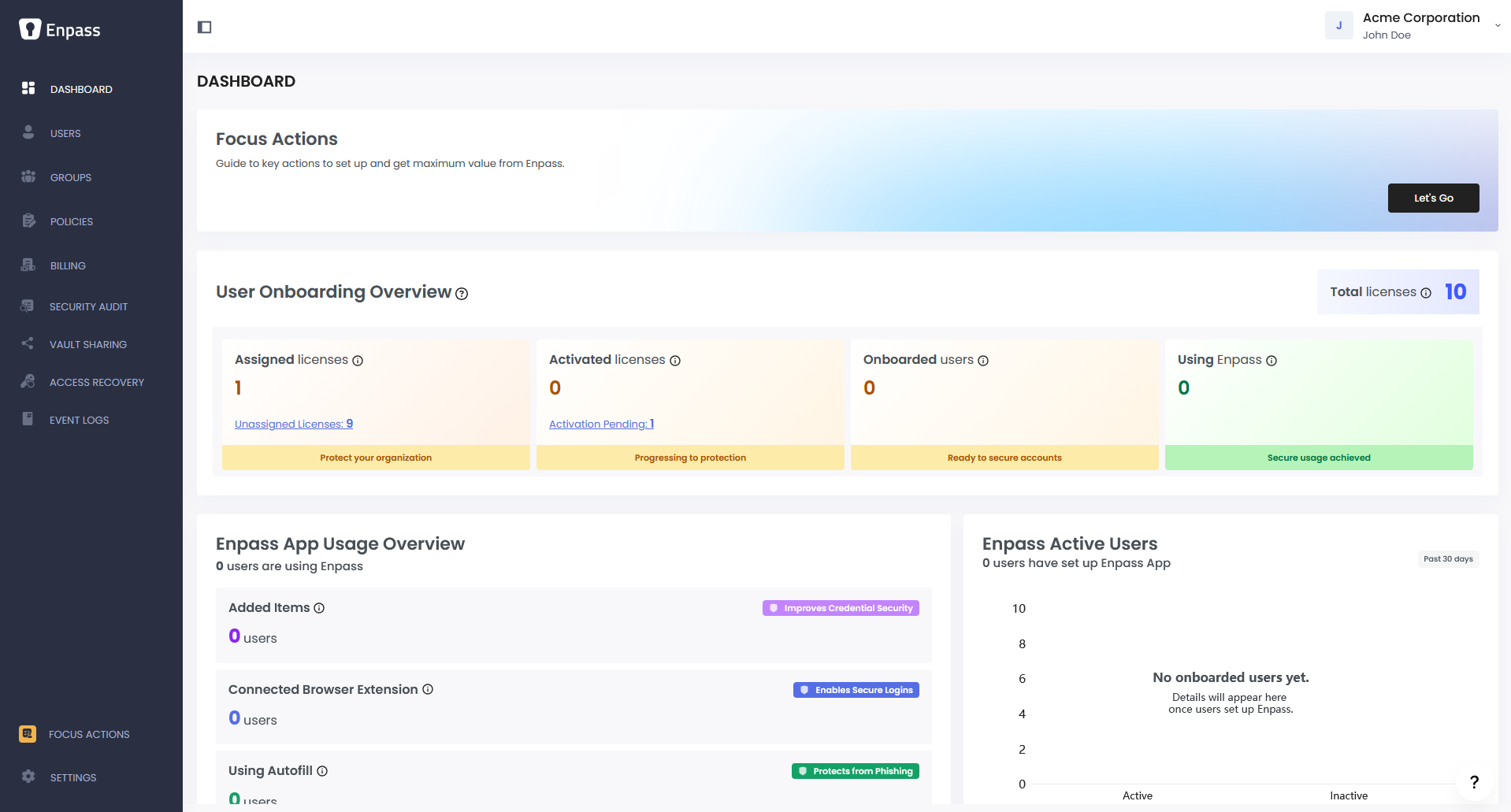
In the Enpass Admin Console, go to Dashboard > Focus Actions.
-
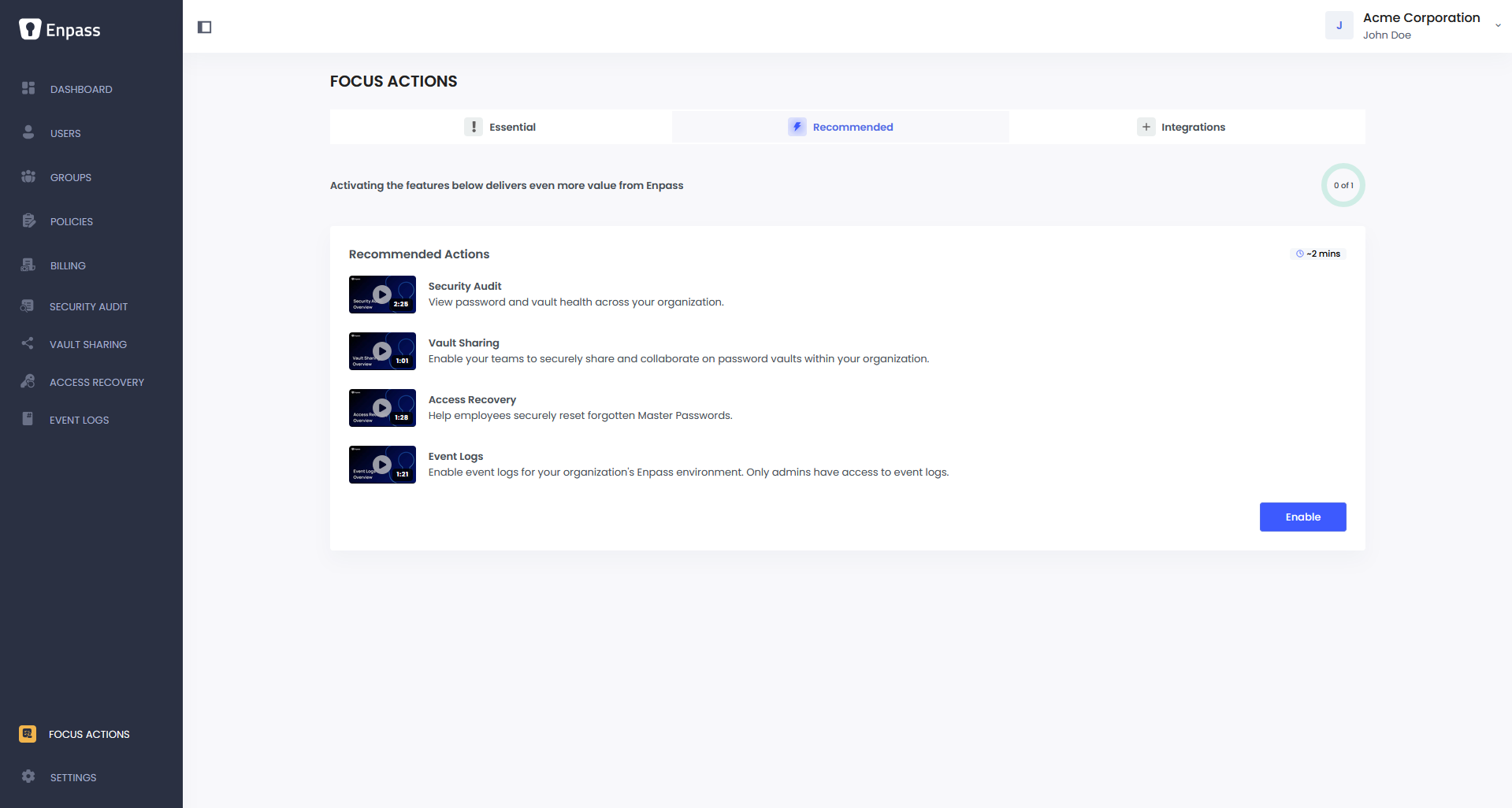
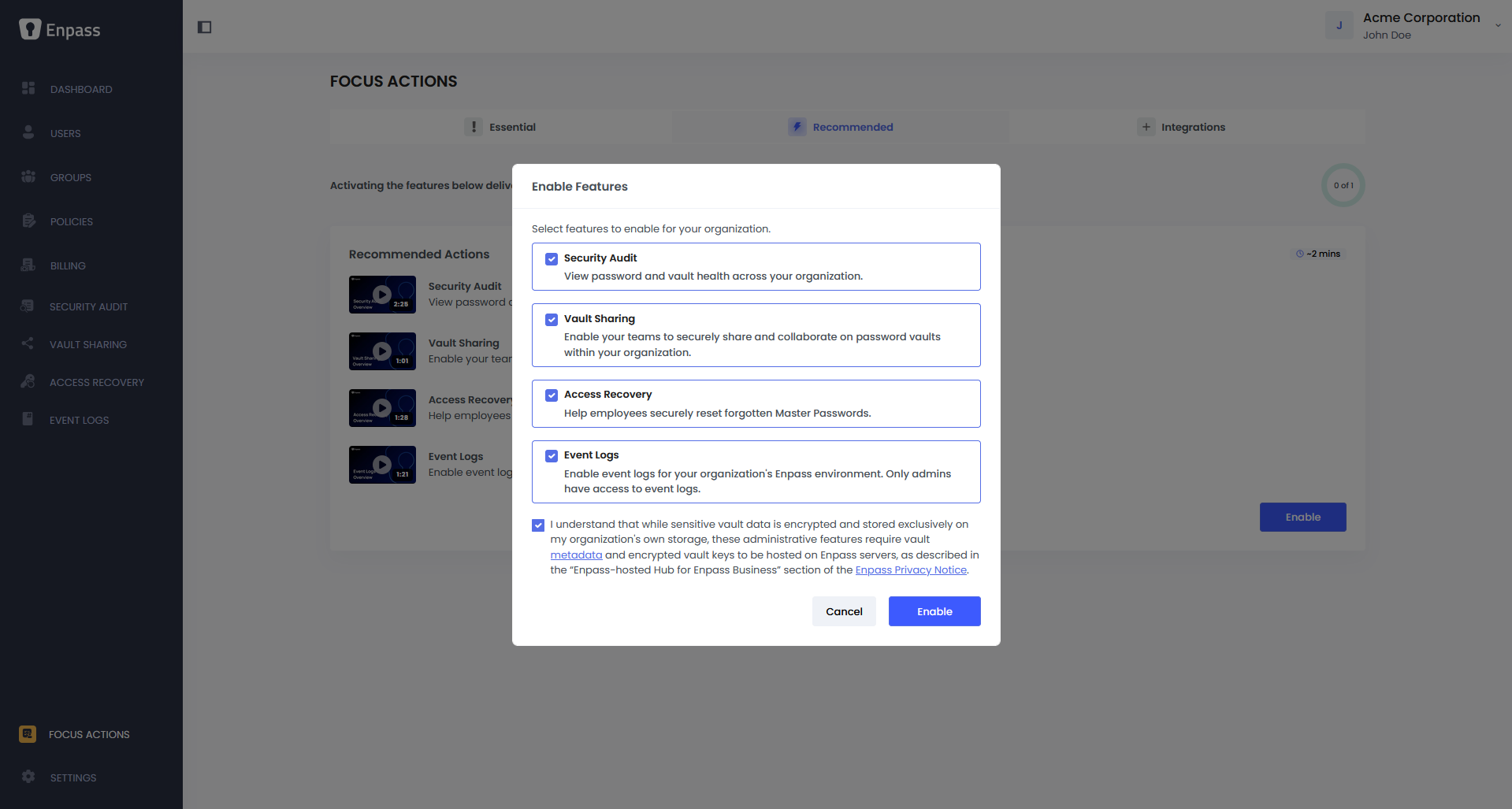
In the Recommended tab, click Enable for a list of features that will be activated:
-
Monitor password health across your organization
-
Get visibility into weak, reused, and compromised password
-
Allow teams to securely share and collaborate on password vaults within your organization
-
Help employees securely reset forgotten Master Passwords
-
This is important for ensuring no one gets permanently locked out of their vault
-
Track and audit user activity across your organization's Enpass environment
-
Event logs are accessible to admins only
-
Select the acknowledgment checkbox box at the bottom to confirm you understand how these features work.
-
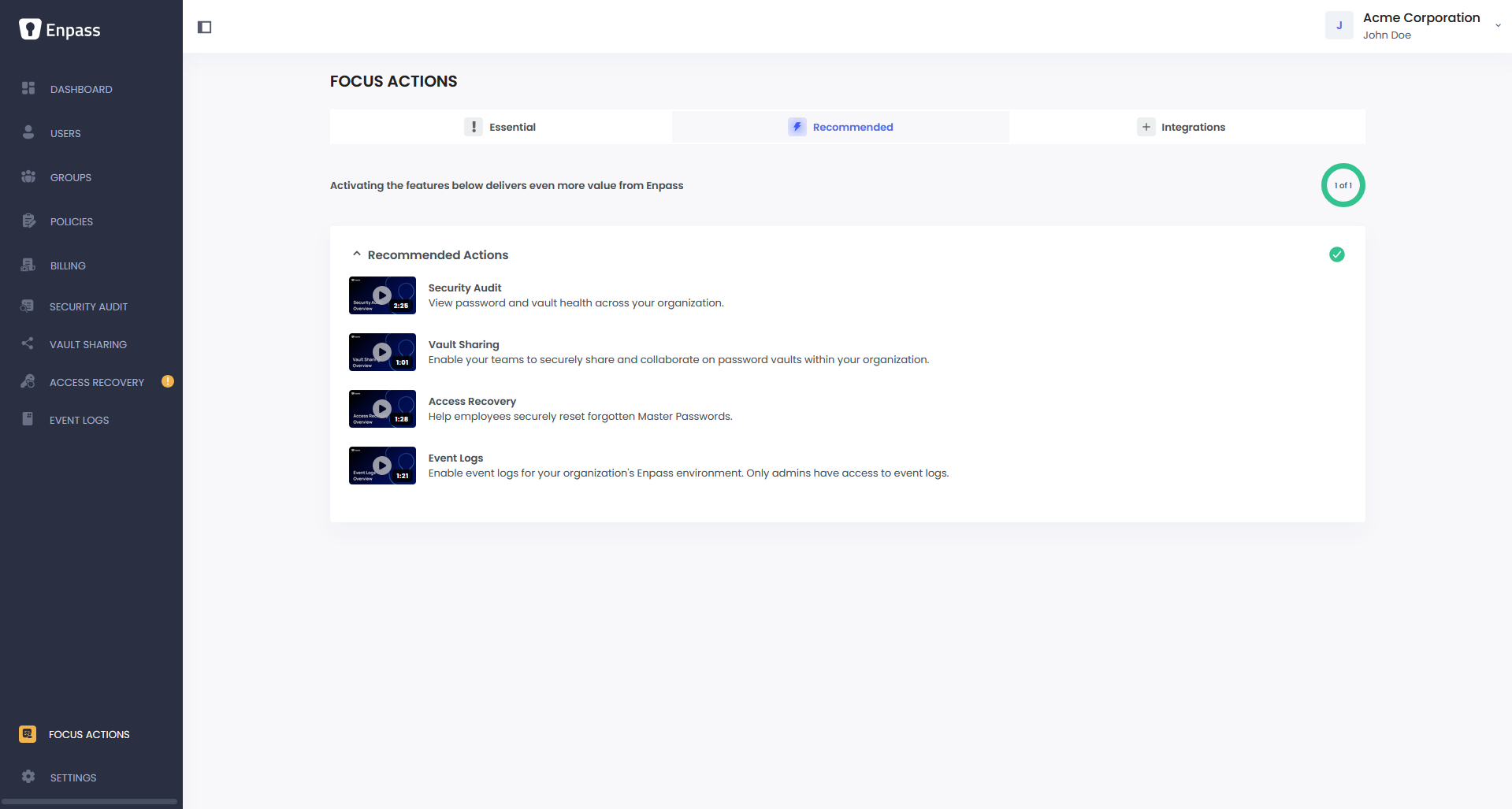
Click Enable.
Step 2: Complete Access Recovery setup
After enabling Recovery in Step 1, one more step required to make it operational. As the first admin (Super Admin), you need to complete the Access Recovery setup from within the Enpass app:
-
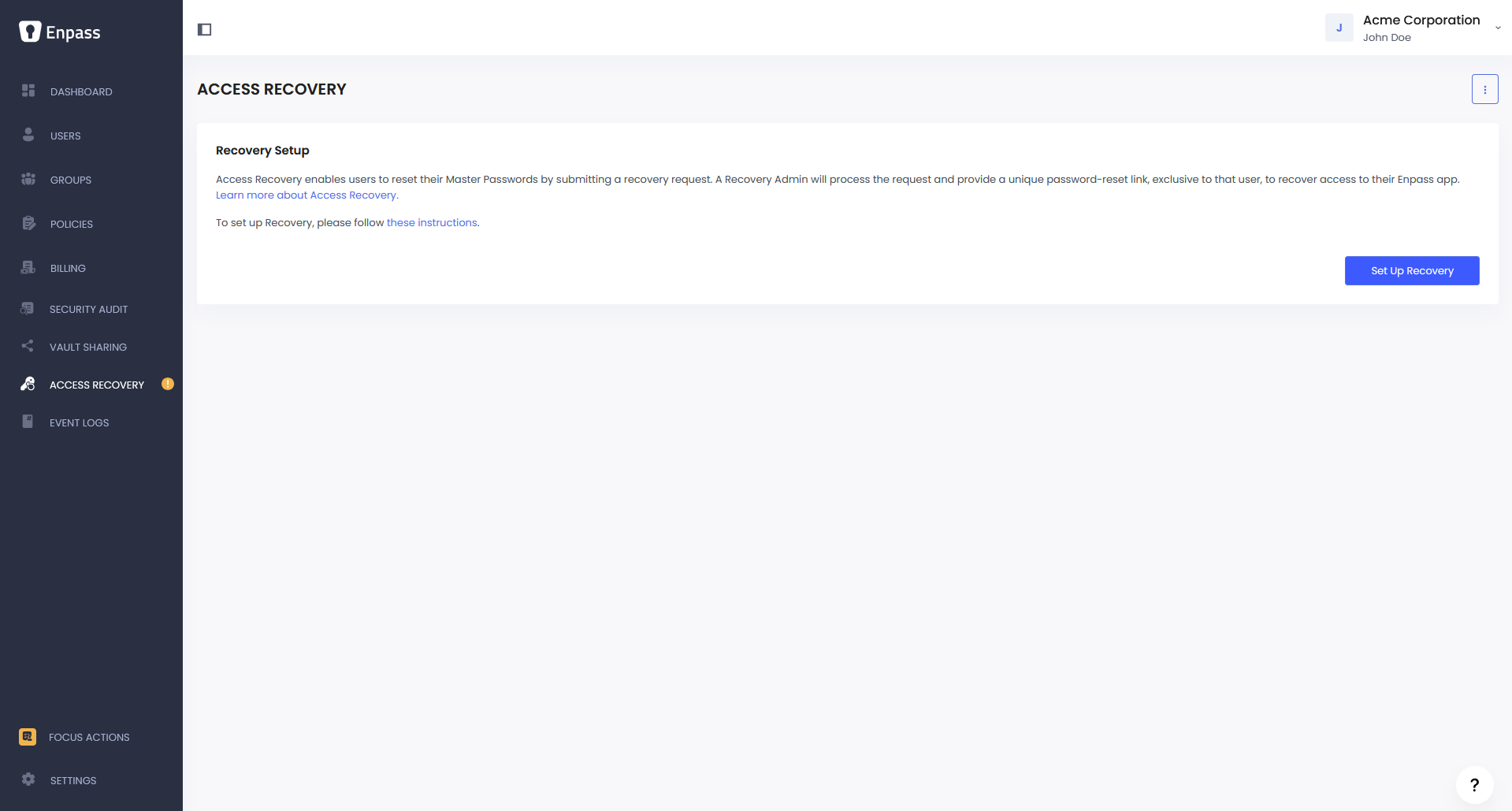
In the Enpass Admin Console, go to Recovery, and click Enable Access Recovery.
-
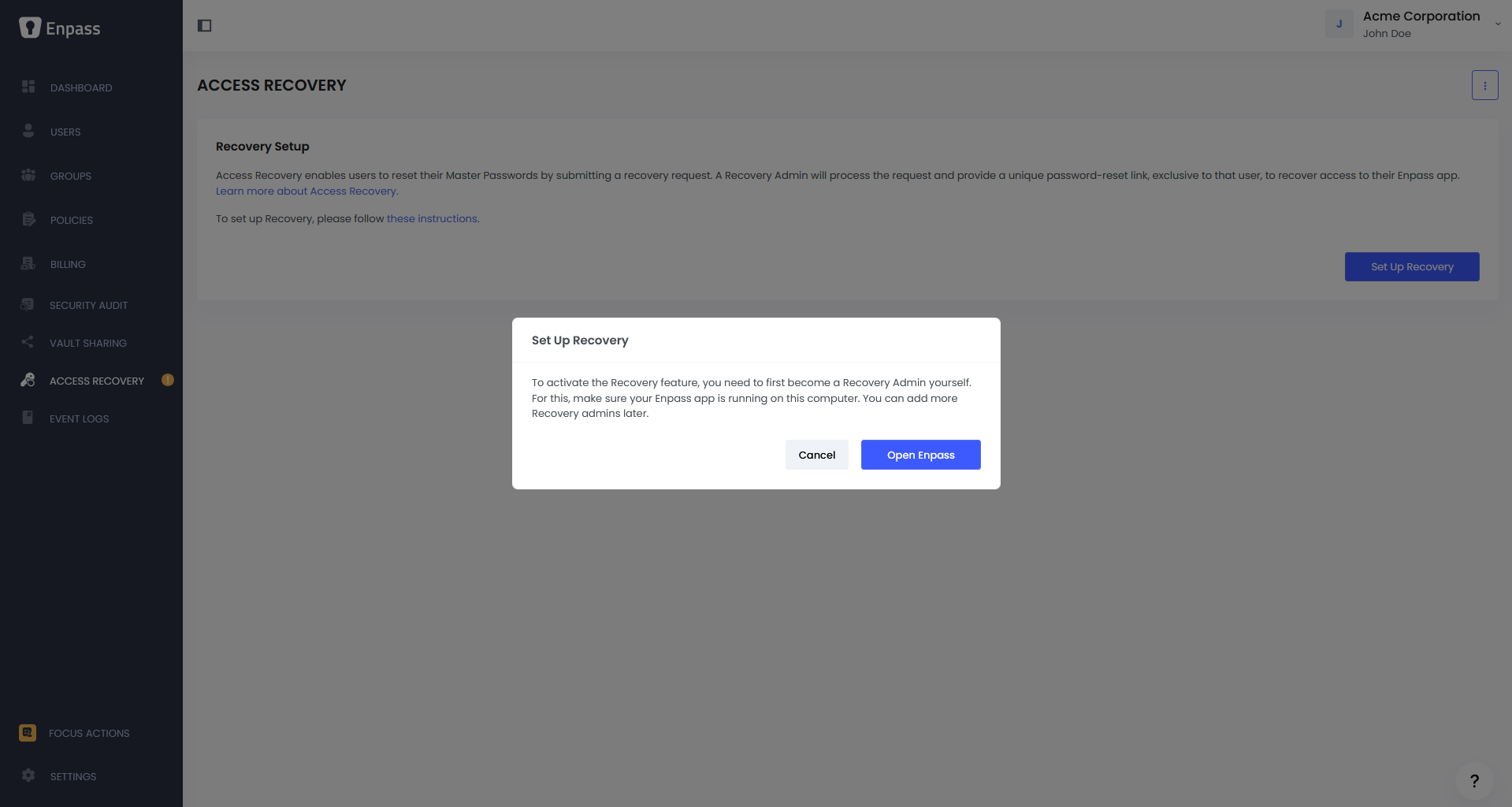
Read and acknowledge the Important Notice, then click Continue.
-
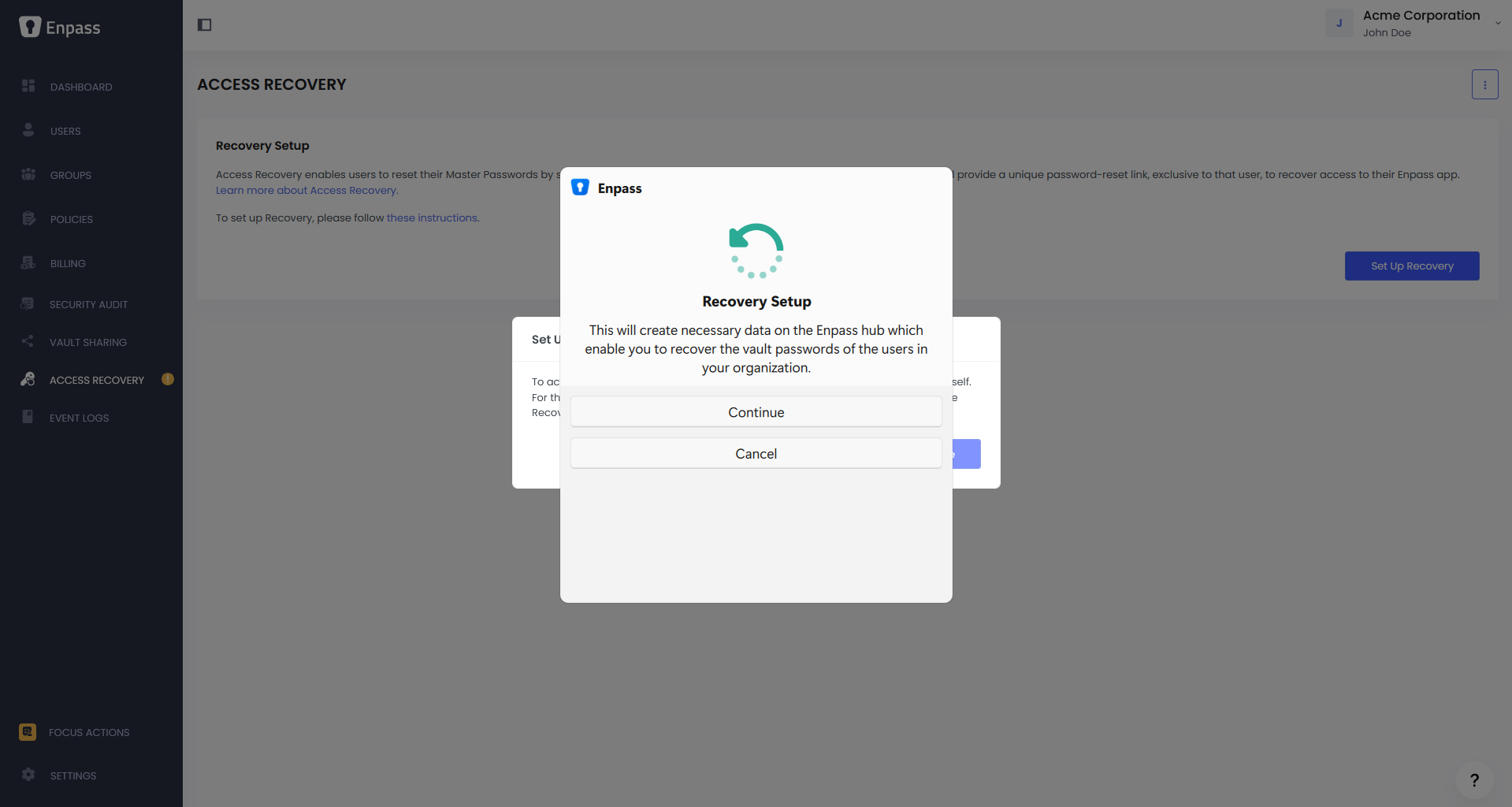
An Enpass mini-window will launch with a Recovery Setup prompt. Click Continue.
-
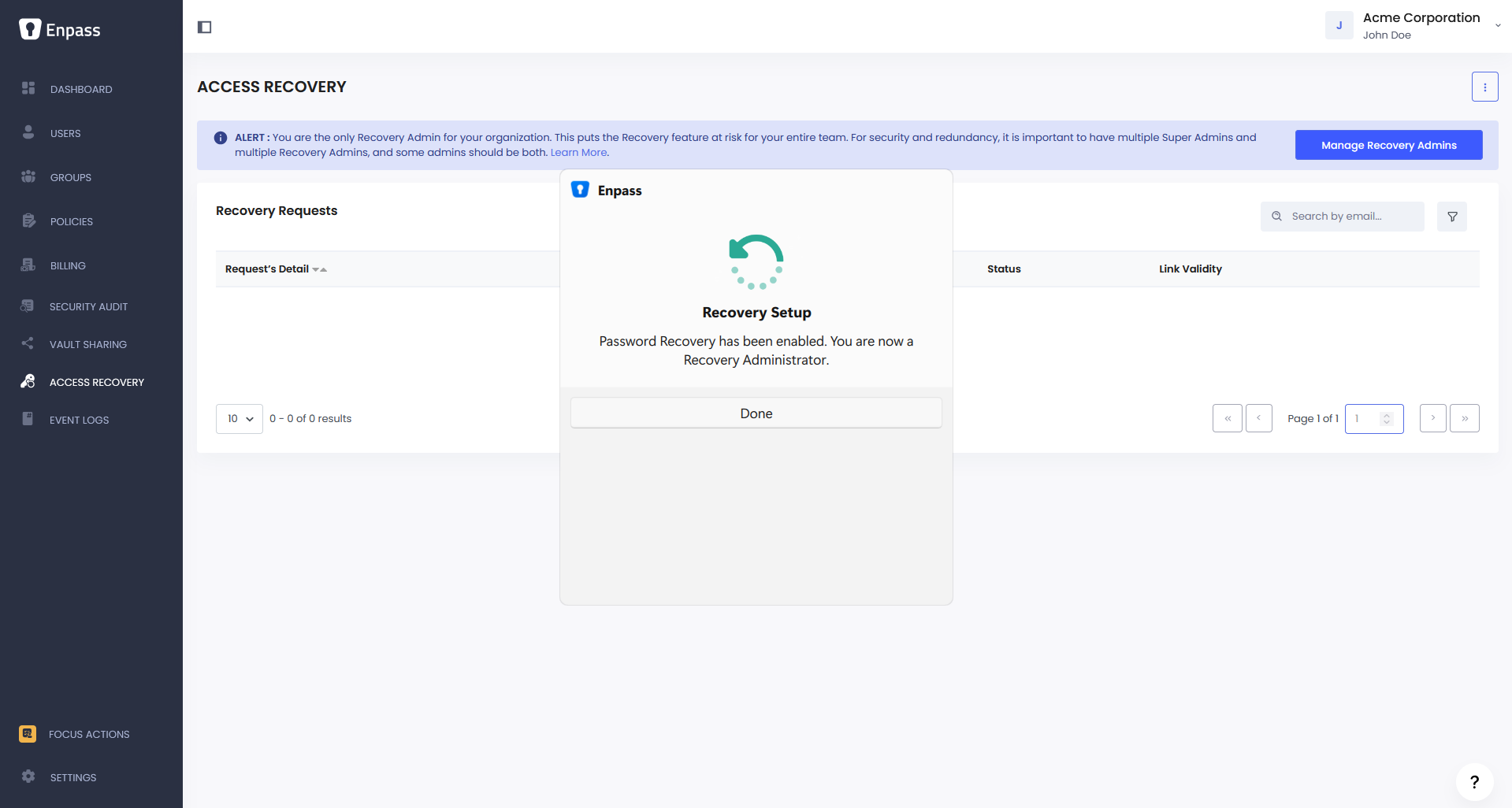
Once the mini-window displays "Access Recovery has been enabled," click Done.
-
You are now the first Recovery Admin for your organization.
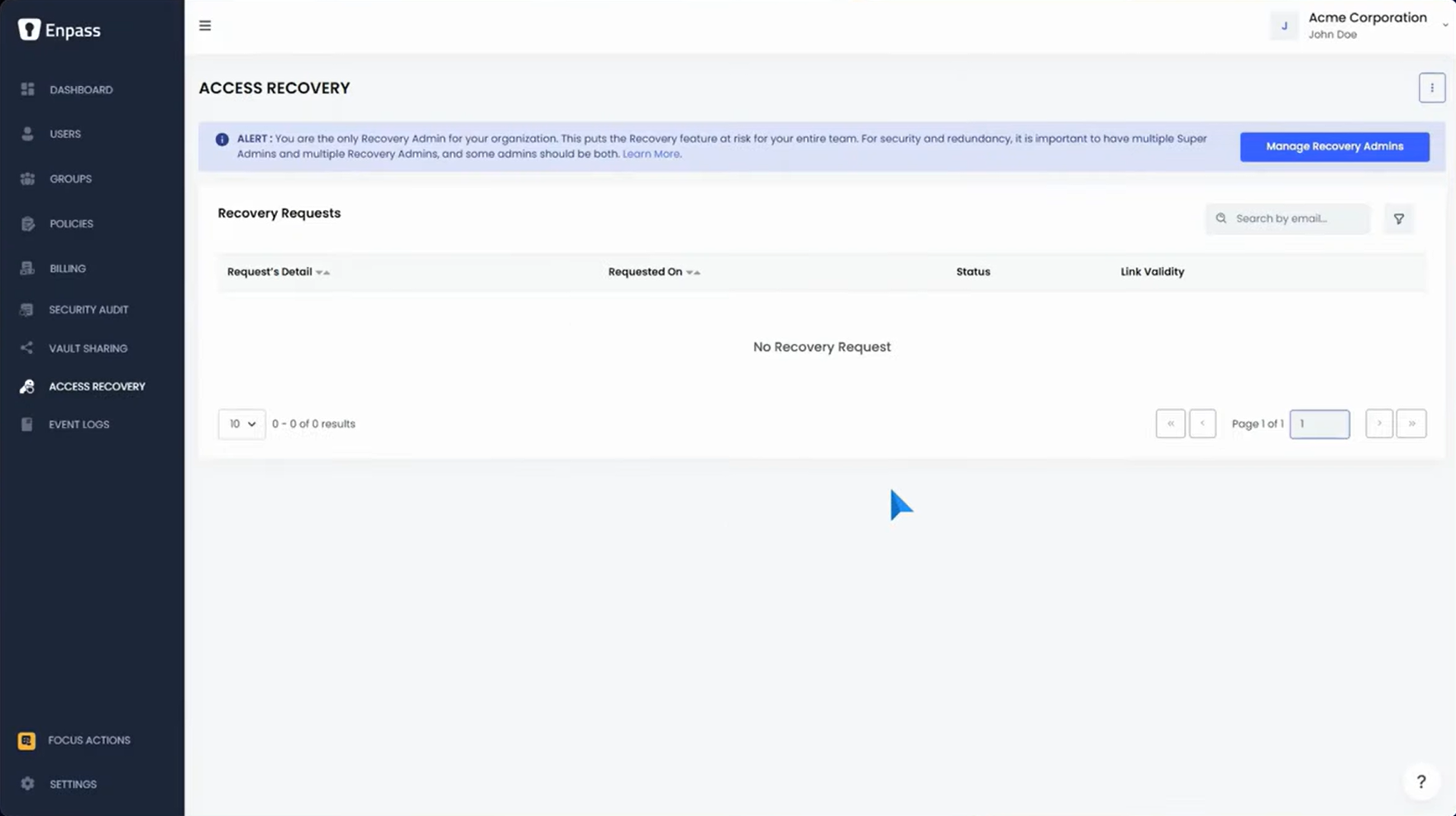
IMPORTANT: Add at least one more Recovery Admin after completing your organization’s setup process. Having a single Recovery Admin is a risk. If that admin loses access, Access Recovery becomes unavailable for the entire organization.
Your organization is now ready for Enpass to be deployed across your team. Before rolling out to everyone, we recommend you explore some of the password management features yourself to get familiar with how Enpass works.