.svg)
Removing a keyfile to unlock Enpass with only your Master Password
If you have previously set up Enpass to require both a keyfile and Master Password to unlock, you can remove the keyfile requirement from within Enpass’s security settings.
Desktop
To remove the Keyfile from Enpass for desktop:
-
Go to Settings > Security, and click Change Master Password.
-
Enter your Master Password and click Continue.
-
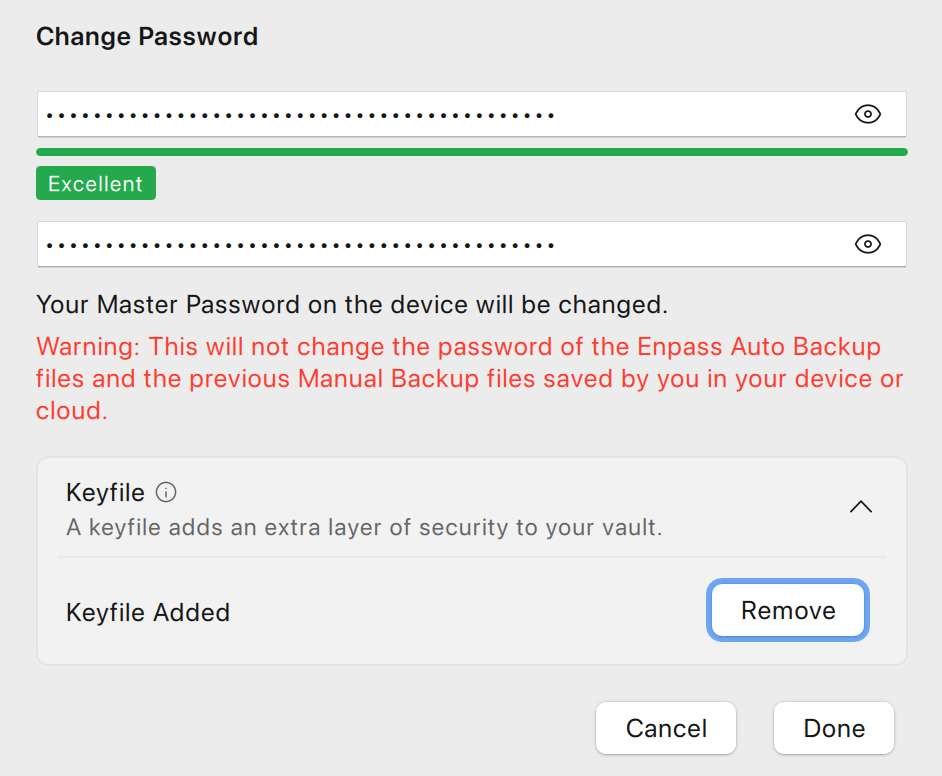
At the bottom of the window, click Advanced, and select Remove Keyfile.
-
Enter and confirm a strong Master Password and click Done.
iOS
To remove the Keyfile from Enpass for iOS:
-
Go to Settings > Security and tap Change Master Password.
-
Enter your Master Password and tap Continue.
-
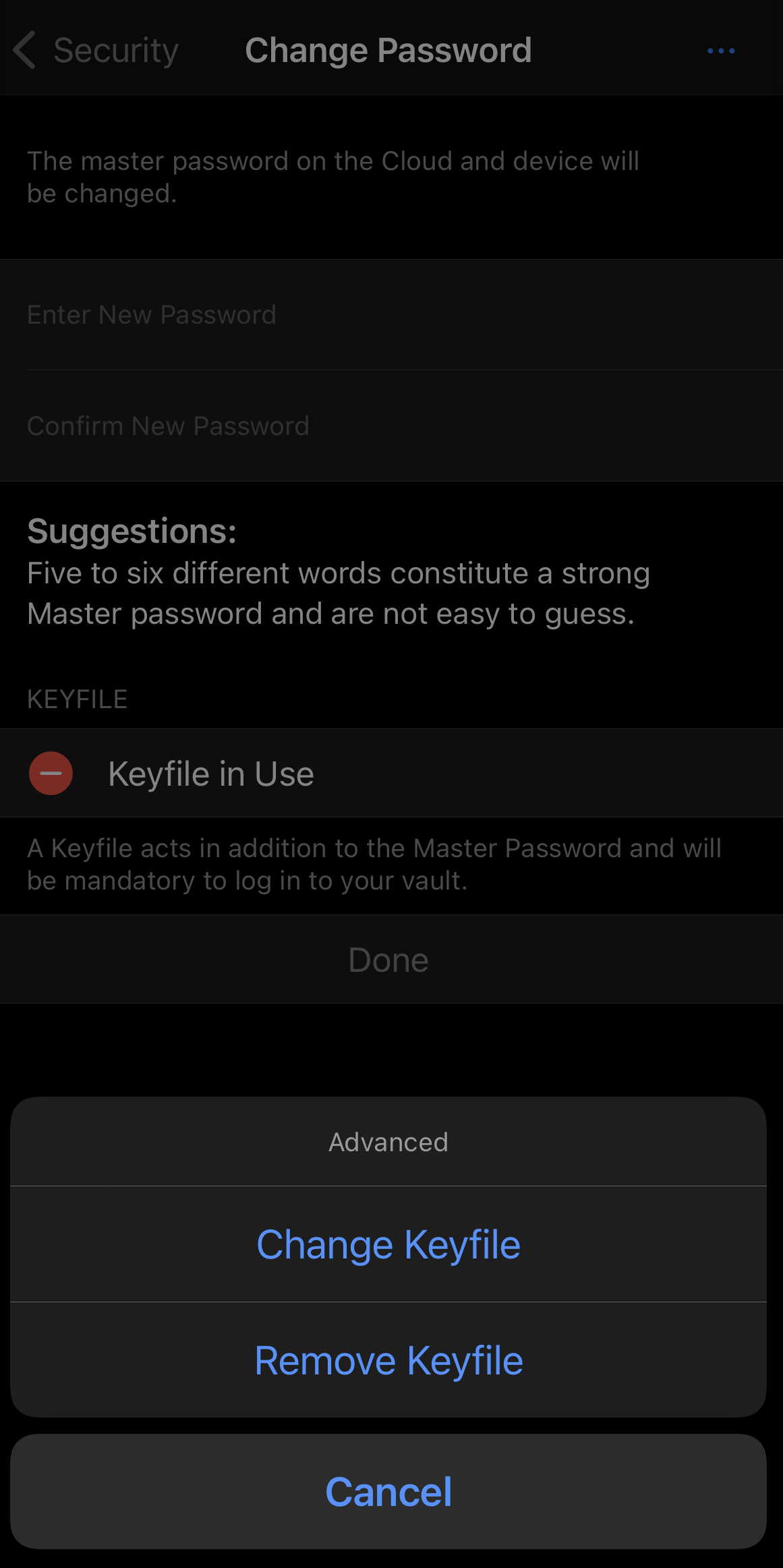
Tap ••• at the top-right corner, and select Remove Keyfile.
-
Set new Master Password and tap Done.
Android
To remove the Keyfile from Enpass for Android:
-
Go to Settings > Security, and tap Change Master Password.
-
Enter your current Master Password and tap Continue.
-
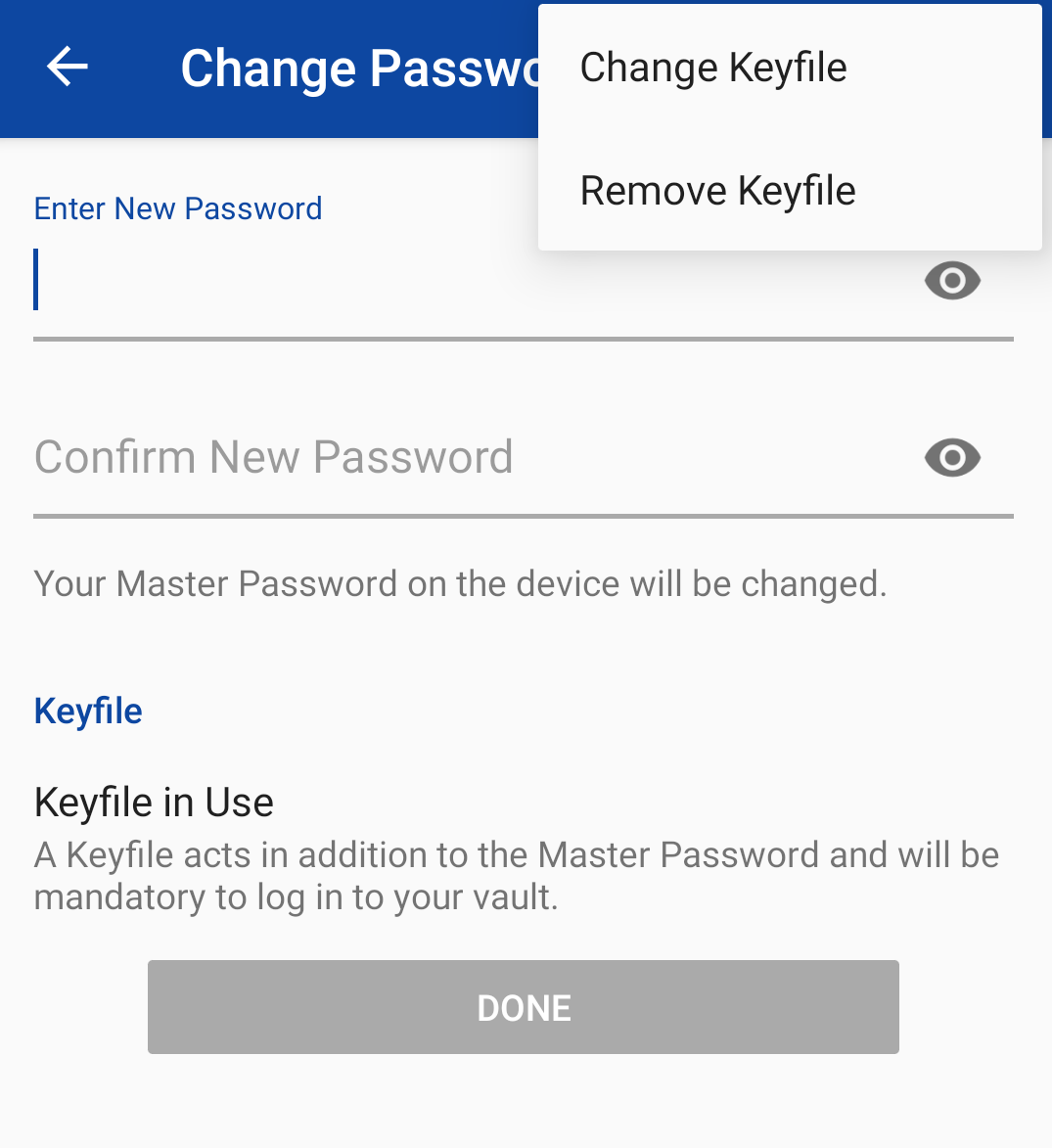
Tap ︙ at the top-right corner, and select Remove Keyfile.
-
Set new Master Password and tap Done.