.svg)
Removing a vault from your Enpass app
Any vault, other than the Primary vault, can be removed from your Enpass app. (Vaults stored on a cloud service or other device can also be restored.)
If you are using Enpass Business, visit Removing a business vault.
Desktop
To remove a vault in Enpass for desktop:
-
Go to Settings > Vaults, and select the vault to remove.
-
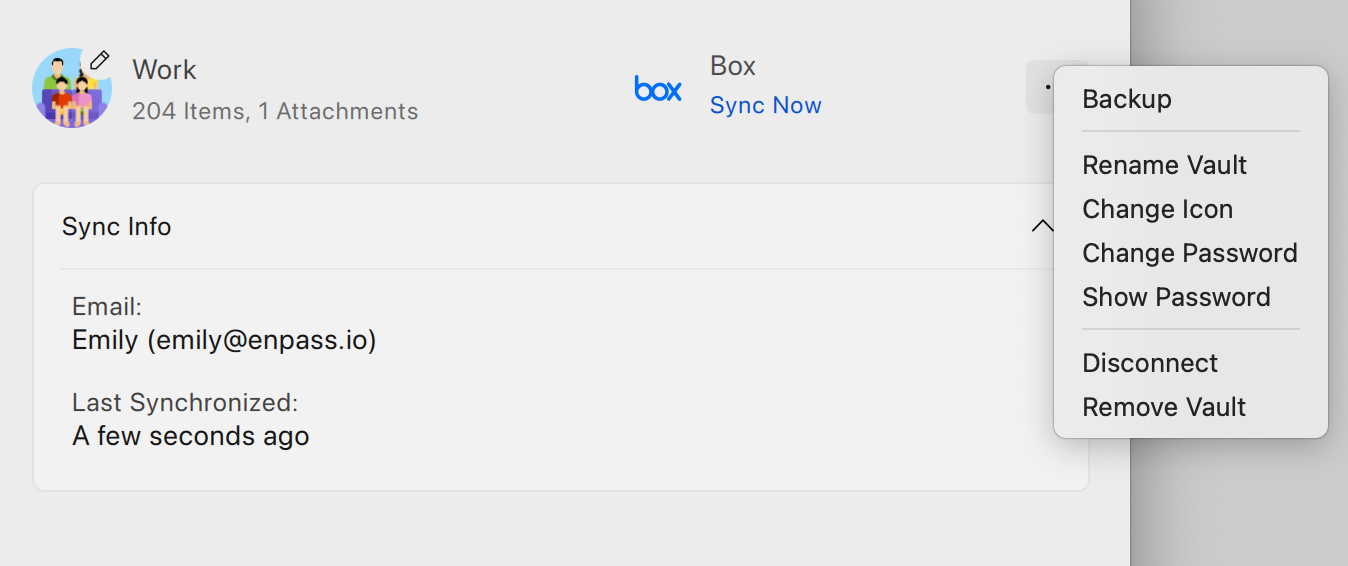
Click ︙ in the top-right corner, and select Remove Vault.
-
Enter your Master Password, and click Continue.
-
Click Remove to delete the vault and all its data from your device.
iOS
To remove a vault in Enpass for iOS:
-
Go to Settings > Vaults, and select vault to remove.
-
Tap ••• in the top-right corner, and select Remove Vault.
-
Enter your Master Password, and tap Continue.
-
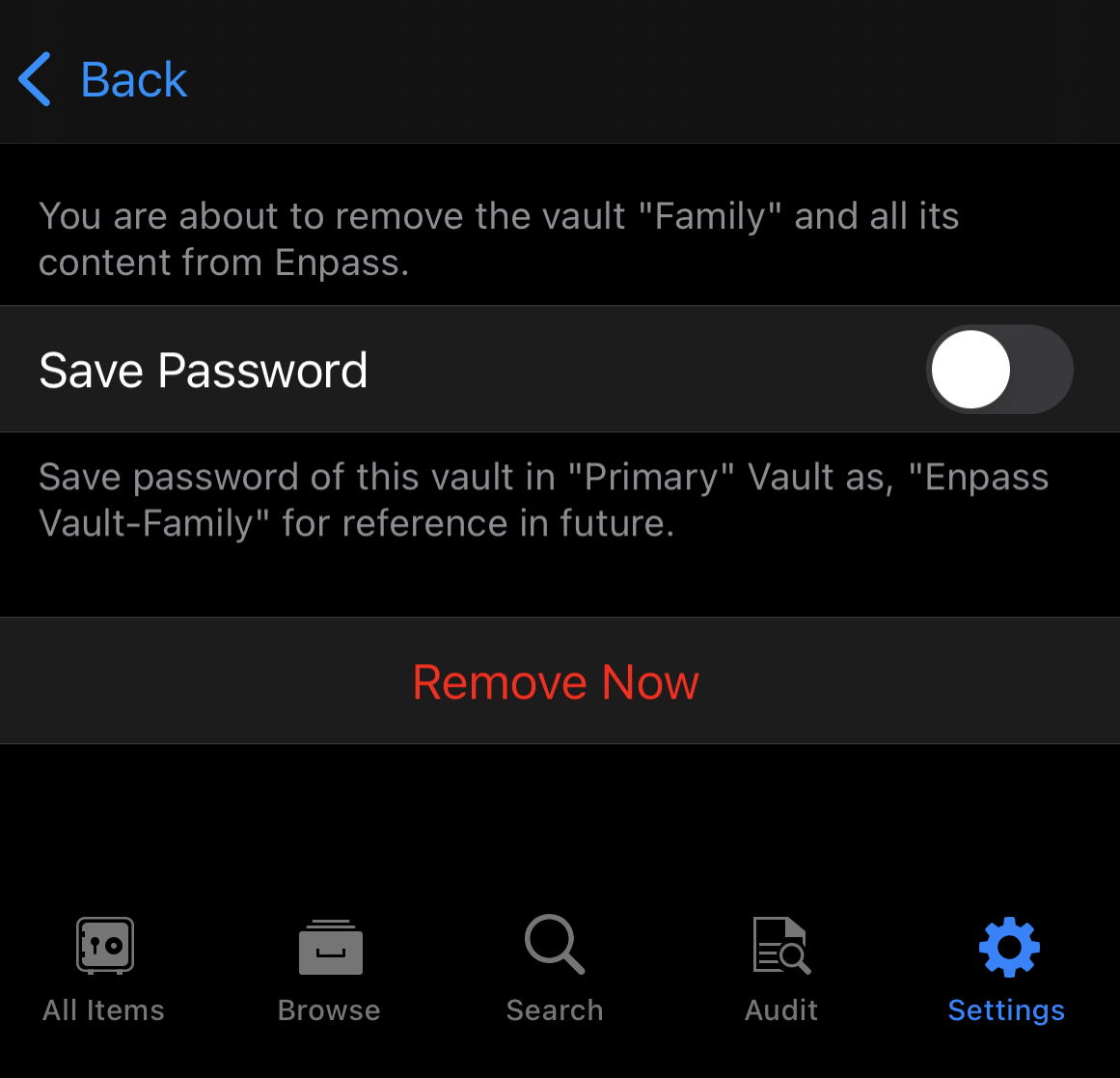
Tap Remove Now, then tap Done to complete the process.
Android
To remove a vault in Enpass for Android:
-
Go to Settings > Vaults, and select the vault to remove.
-
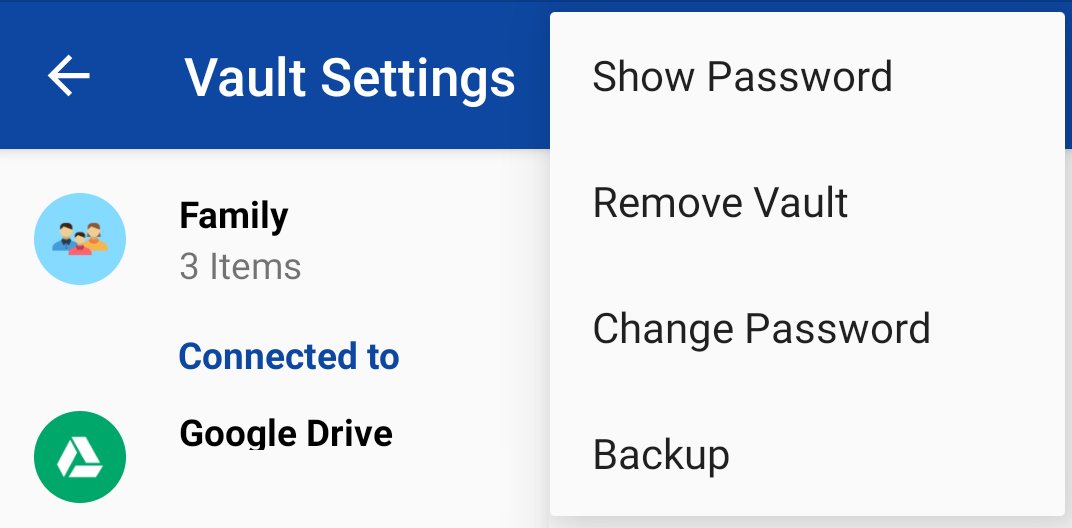
Tap ︙ in the top-right corner, and select Remove Vault.
-
Enter your Master Password, and tap Continue.
-
Tap Remove Now to delete the vault and all its data from your device.
On the confirmation screen, you can save the password of the deleted vault as an Item in your Primary vault, in case you want to restore it later from a cloud service or backup.