.svg)
Creating a vault for your passwords in Enpass
The passwords and other credentials you add to Enpass are kept in an encrypted vault, which is secured with your Master Password. Enpass can also manage multiple vaults, if you choose to keep some credentials sequestered from others (personal, work, family, etc.).
Enpass works with your existing cloud accounts to store and sync your data — or you can choose to keep your information only on your devices, syncing between them over your home Wi-Fi. All data in Enpass is encrypted and synced securely, with all cryptography performed locally on your device.
When you create your first vault, you will be asked where you’d like to keep it, and required to create a Master Password. Enpass will call this your Primary vault. You can customize the names of any additional vaults.
NOTE: The password you create for your Primary vault will also serve as your Master Password for unlocking Enpass. Learn more about creating a strong Master Password.
Keep your Master Password safe — it cannot be recovered
Because Enpass stores no user data on company servers, Enpass cannot recover lost or forgotten Master Passwords. All your data is under your exclusive control. If your Master Password is lost, Enpass should be reset so you can start over as a new user.
If you are using Enpass Business, you may be able to request access recovery from your Admin.
To store your first Enpass vault in a cloud account
To store your first Enpass vault in a cloud account:
-
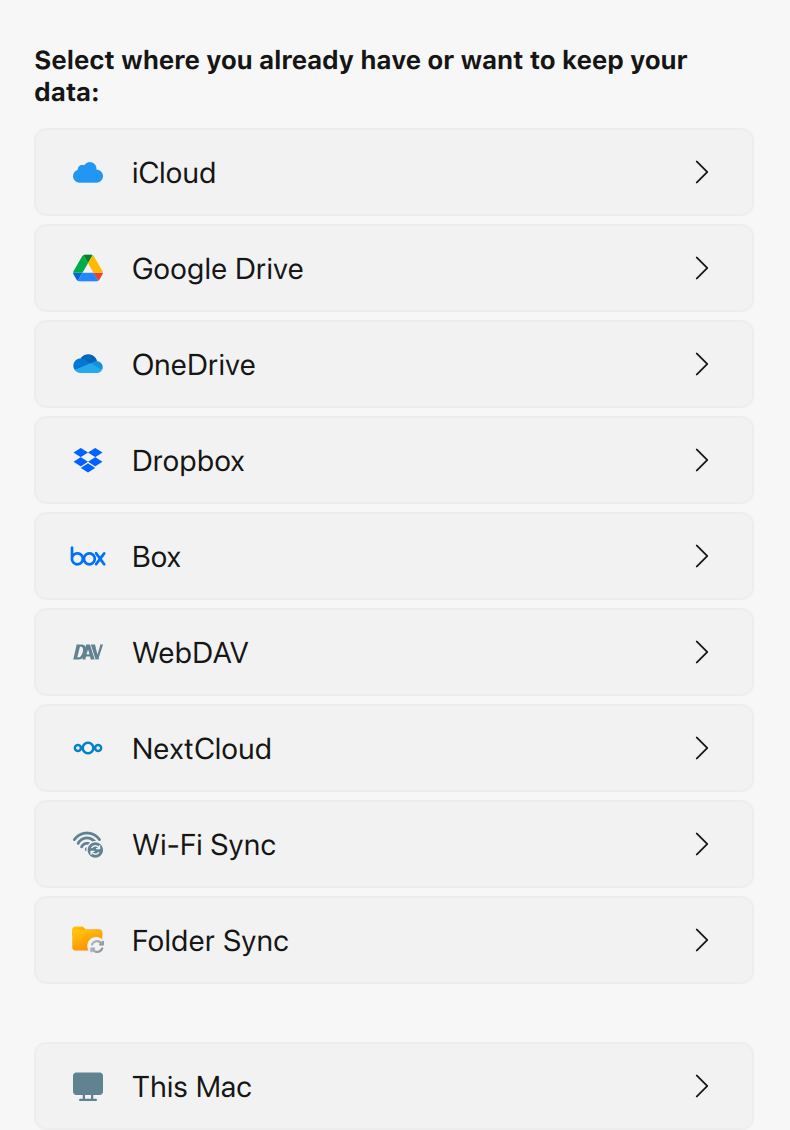
On the welcome screen, select the cloud service where you want to create your vault.
-
You will be redirected to your cloud service in your default browser.
-
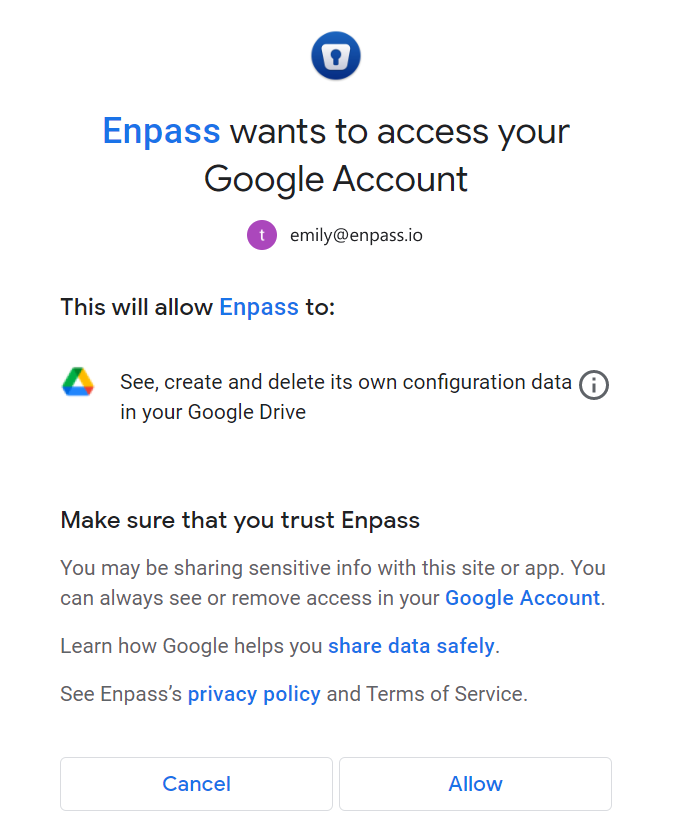
Login and follow the steps to allow Enpass access to your account.
-
When you reach an "Authorization Finished" message, click the Redirect or Open Enpass button (if you are not automatically returned to Enpass).
-
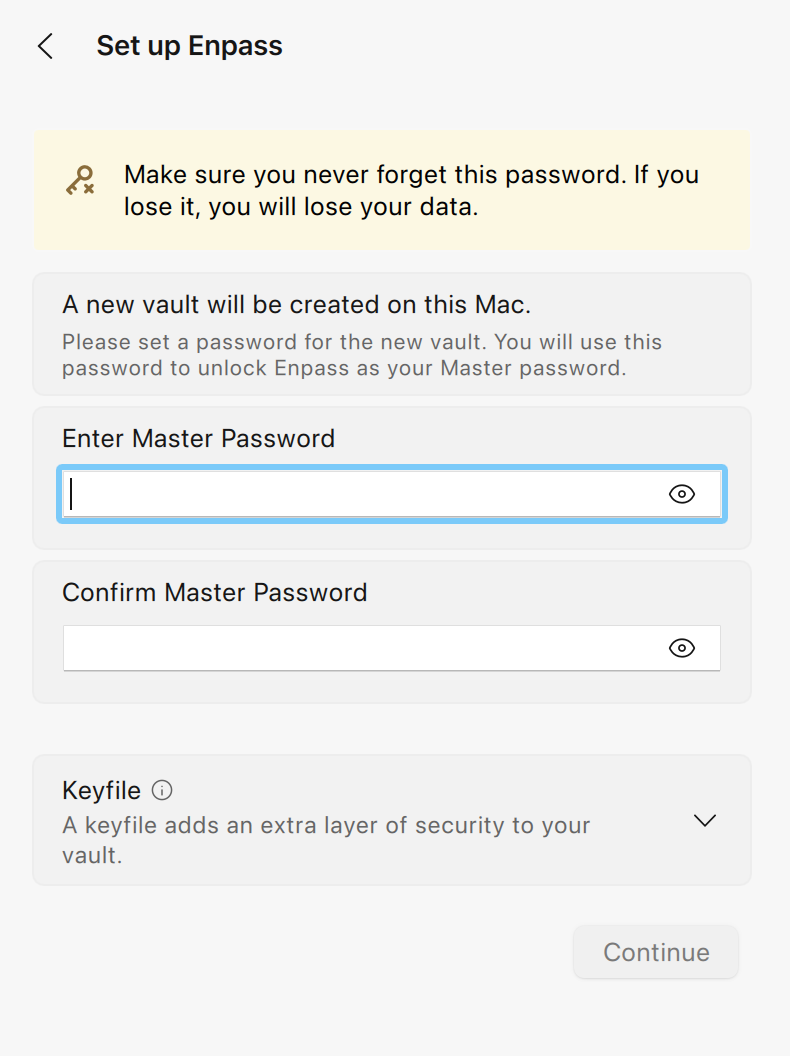
Once returned to Enpass, create a strong password for your vault, and click Continue.
-
Keep in mind that the password for your first vault also serves as the Master Password for unlocking your Enpass app.
-
A strong Master Password should include a combination of symbols, letters, and numbers, and should avoid using birthdays, names and other common or public information. The longer your Master Password is, the safer it will be, but ideally it should also be easy to type on both your computer and your phone.
-
-
Verify your vault password, and click Done.
To store your first Enpass vault only on your PC or Mac
To store your first Enpass vault only on your PC or Mac:
-
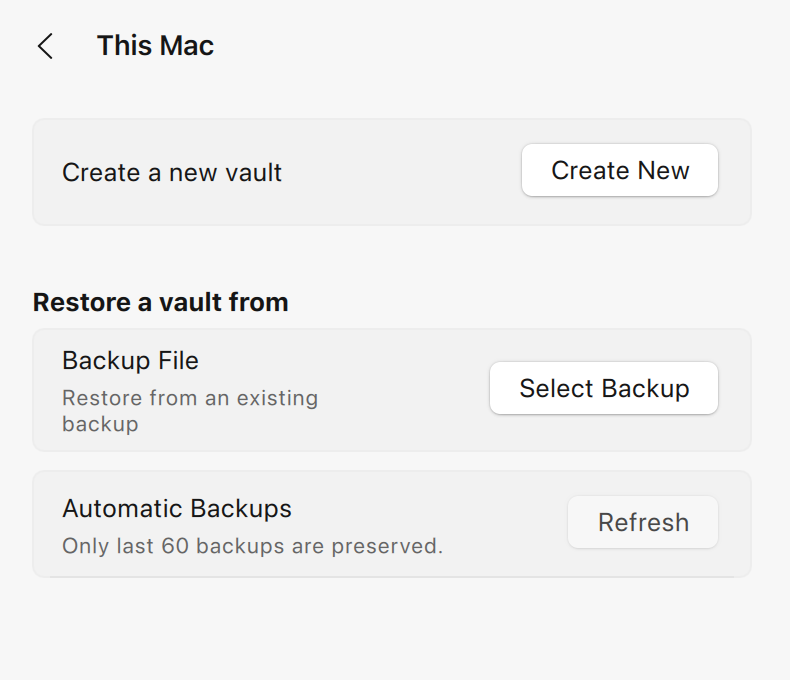
On the welcome screen, select This PC or This Mac.
-
Click Create a new vault.
-
Create a strong password for your vault, and click Continue.
-
Keep in mind that the password for your first vault also serves as the Master Password for unlocking your Enpass app.
-
A strong Master Password should include a combination of symbols, letters, and numbers, and should avoid using birthdays, names and other common or public information. The longer your Master Password is, the safer it will be, but ideally it should also be easy to type on both your computer and your phone.
-
-
Verify your vault password, and click Done.