.svg)
Creating a new vault in Enpass Business
Vaults added to your business OneDrive and SharePoint sites automatically sync across all your devices.
To create a new business vault in OneDrive or a SharePoint site using the Enpass desktop app:
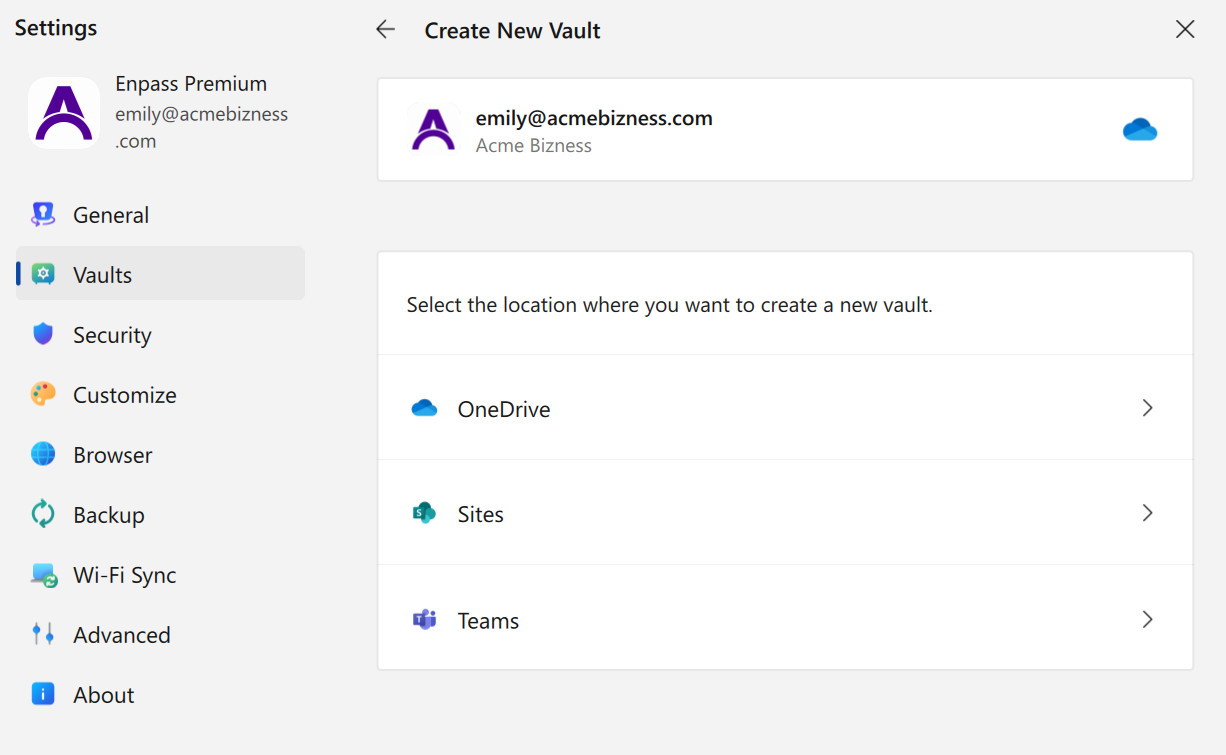
-
Go to Settings > Vaults, and click

-
Select OneDrive — or select Sites or Teams and choose a location — then click Create here.
-
Enter a name for your vault and click Continue.
-
Create and confirm a strong password for your vault.
-
Select the checkbox to add this vault password to your Primary Vault. (Recommended)
-
-
Click Done to complete the process.
To create a new business vault in OneDrive or a SharePoint site using the Enpass on iOS:

-
Go to Settings > Vaults, and tap
-
Select OneDrive — or select Sites or Teams and choose a location — then tap Create here.
-
Enter a name for your vault and tap Continue.
-
Create and confirm a strong password for your vault.
-
Tap Continue to complete the process.
To create a new business vault in OneDrive or a SharePoint site using the Enpass on Android:

-
Go to Settings > Vaults, and tap
-
Select OneDrive — or select Sites or Teams and choose a location — then tap Create here.
-
Enter a name for your vault and tap Continue.
-
Create and confirm a strong password for your vault.
-
Tap Continue to complete the process.