.svg)
Setting up an Enpass vault on ownCloud using WebDAV
Enpass vaults can be set up and synced via your ownCloud storage using WebDAV.
To set up an Enpass vault for syncing with ownCloud:
-
Go to Settings > Vaults, and click Add new vault.
-
(Or on mobile devices, tap

-
-
Select WebDAV from the list of syncing options.
-
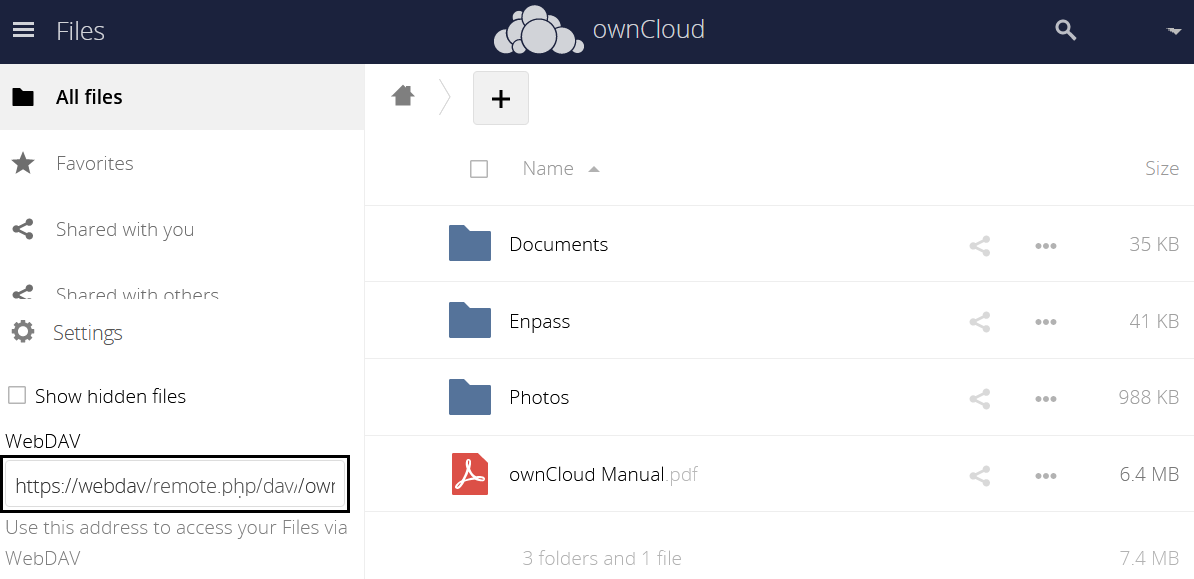
Enter your ownCloud WebDAV URL, found in your ownCloud console settings:
-
Enter your ownCloud login credentials.
-
Click Connect.