.svg)
Using an Access Password with a vault on a Wi-Fi server
For vaults being synced over Wi-Fi, an Access Password is required for syncing to other computers or you choose to manually set up sync on mobile devices, rather than use the provided QR code.
An Access Password is generated randomly for each vault being synced over Wi-Fi. Enpass transmits data in an encrypted form, and this password adds another layer of security to make sure communication between the Server and all synced devices is also encrypted.
To find the Access Password for setting up Wi-Fi sync:
-
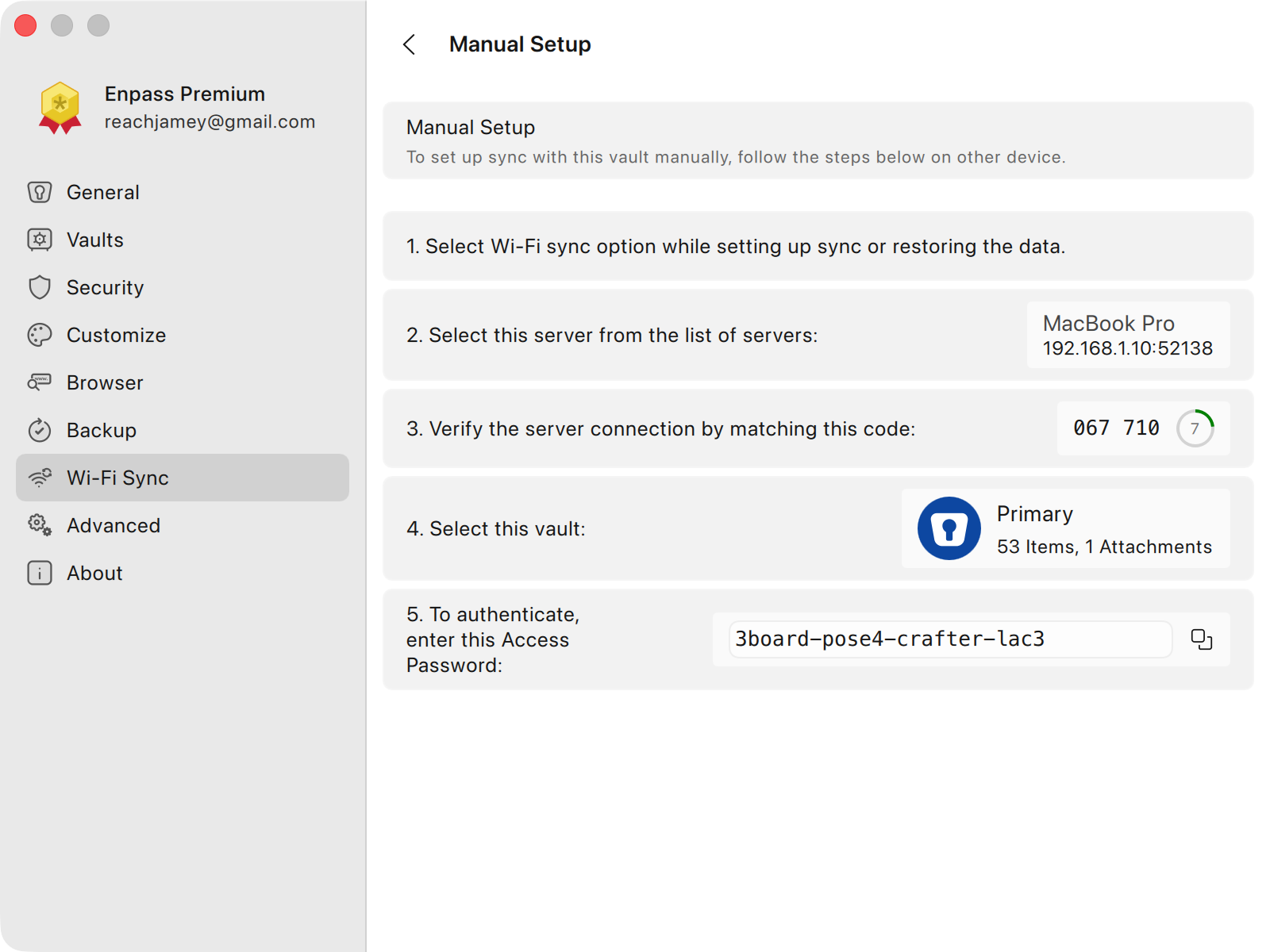
In Enpass on the computer hosting the vault being synced via Wi-Fi, go to Settings > Wi-Fi Sync.
-
Select the vault you want to sync, then click Manual Setup.
-
Copy the Access Password displayed at the bottom of the Manual Setup screen and use it on your other devices to access the vault being synced via Wi-Fi.