.svg)
Once Access Recovery is enabled, Super Admins can configure two key aspects of the recovery process: who gets notified when an employee submits a request, and how long the recovery link remains valid for the employee to use.
All settings below are accessible from Admin Console > Settings > Access Recovery.
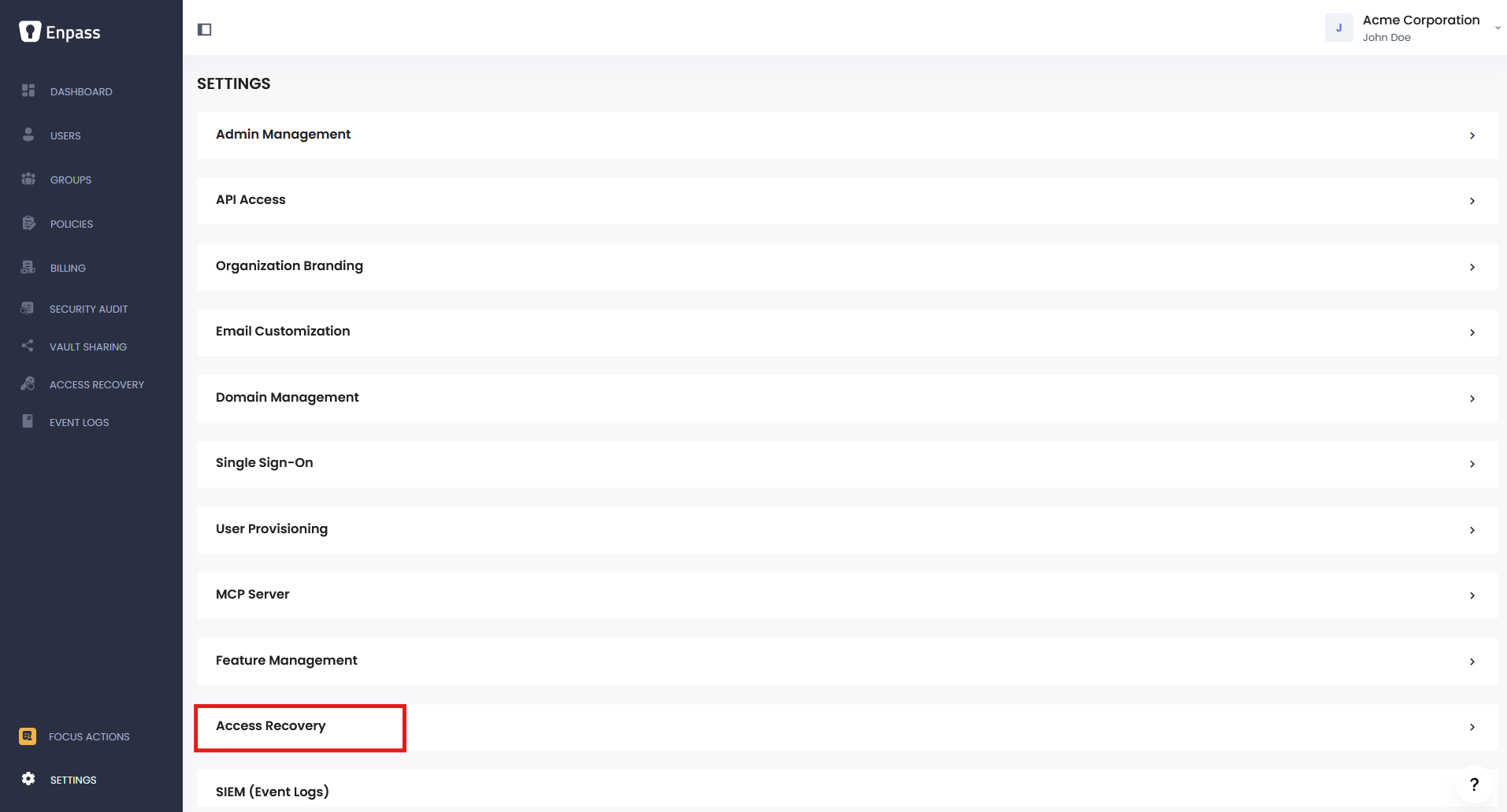
Recovery Request Notifications
This setting controls who receives an email notification when a user submits a recovery request. By default, notifications go to all Recovery Admins.
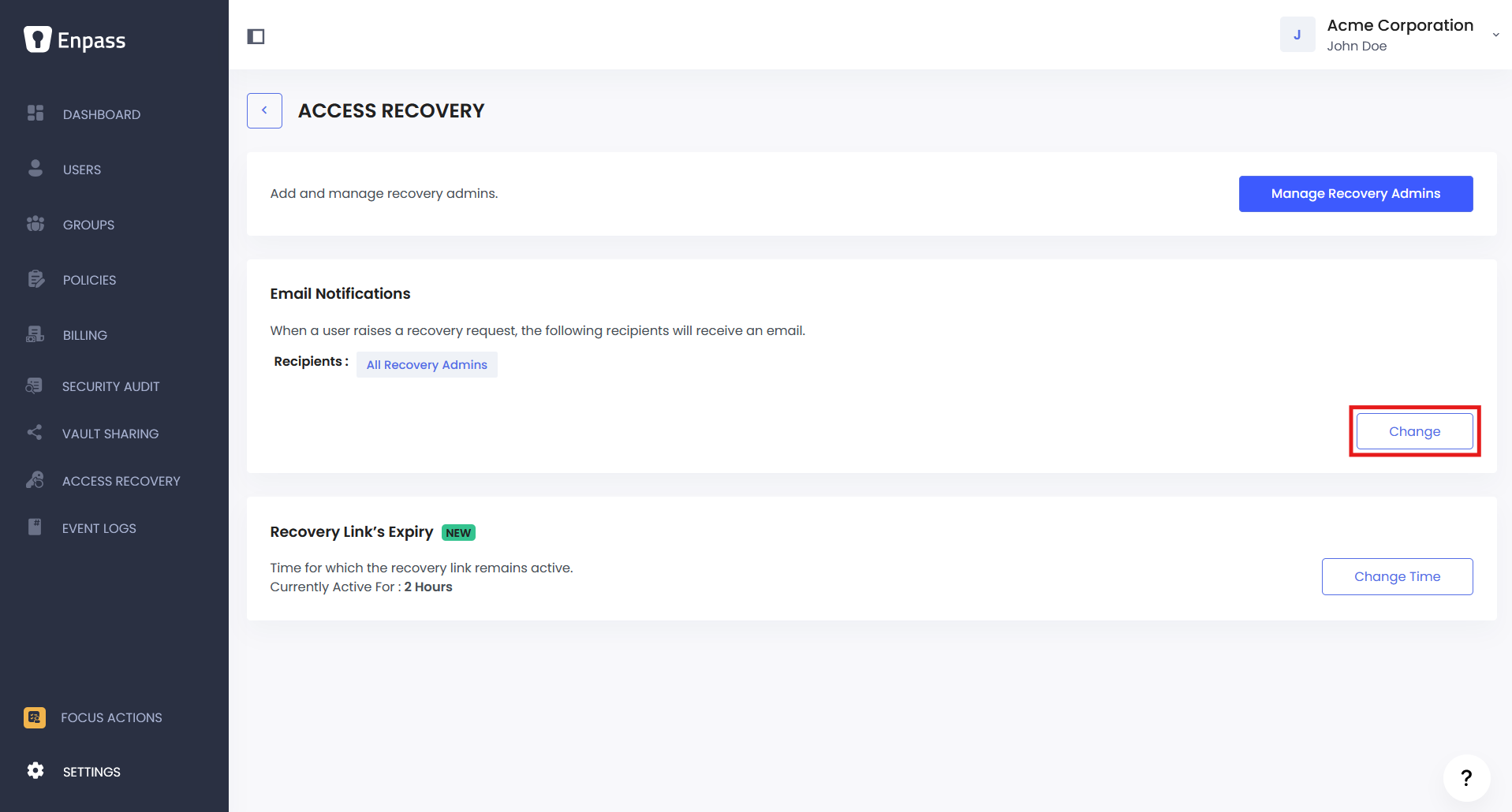
To configure notification recipients:
-
In the Admin Console, go to Settings.
-
Scroll to Access Recovery, then click Manage Recipients under Recovery Request Notifications.
-
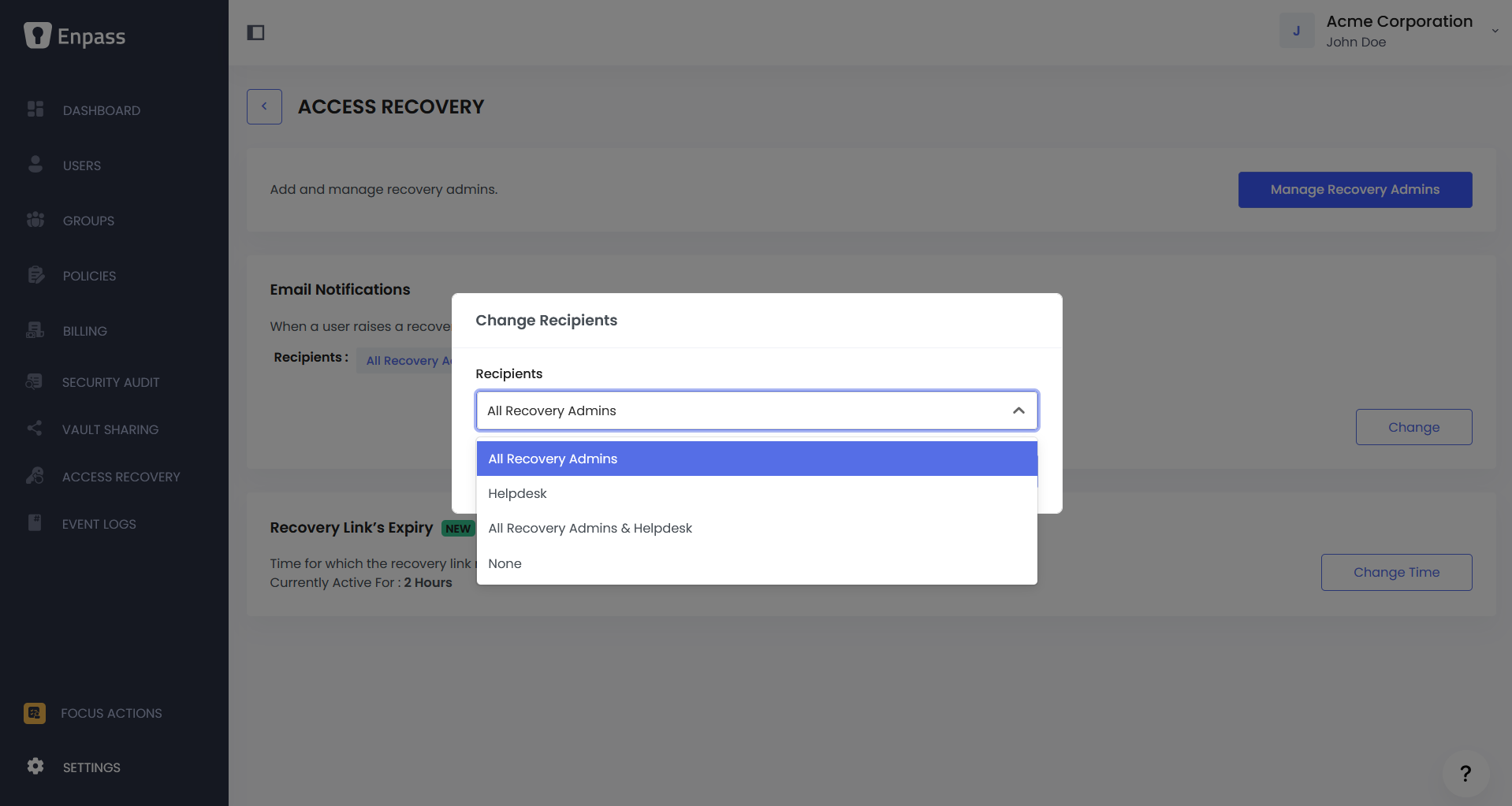
In the pop-up, choose one of the following options:
|
Option |
Description |
|---|---|
|
All Recovery Admins |
All designated Recovery Admins receive an email alert. (Default) |
|
Helpdesk Email |
Notifications go to up to 5 specified helpdesk email addresses. |
|
All Recovery Admins & Helpdesk Email |
Both Recovery Admins and helpdesk addresses are notified. |
|
None |
No automated email notifications are sent. Admins are expected to check the Admin Console regularly or be notified directly by the employee. |
-
Click Save.
Note: If you're routing password reset requests through an IT service desk, select Helpdesk Email or All Recovery Admins & Helpdesk Email and enter your service desk's email address(es). This ensures requests are tracked and handled through your existing IT workflows.
Recovery Link Expiry Time
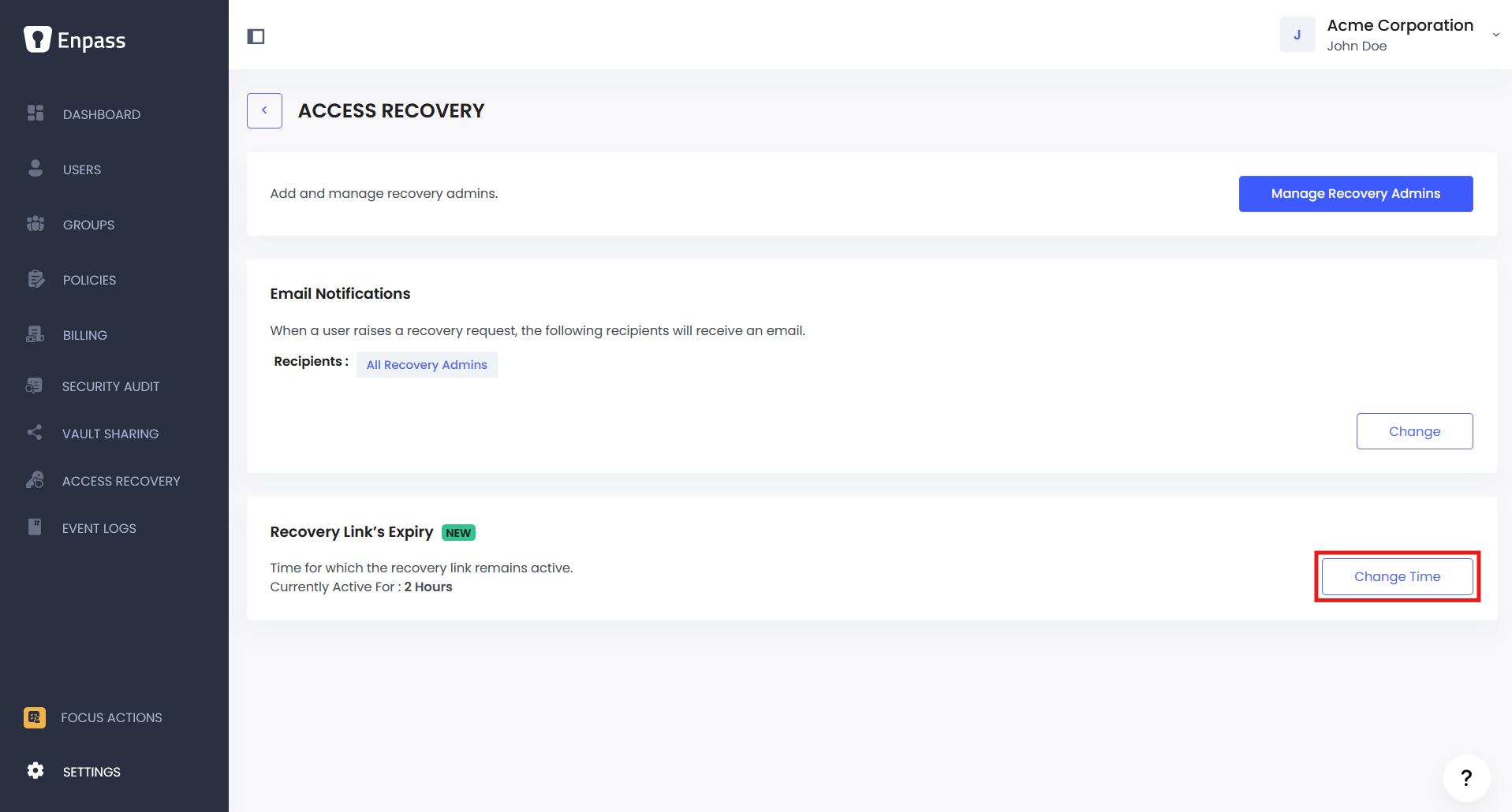
Each approved recovery request generates a recovery link that is valid for a set duration. This setting controls how long the employee has to use it before it expires.
Default: 2 hours
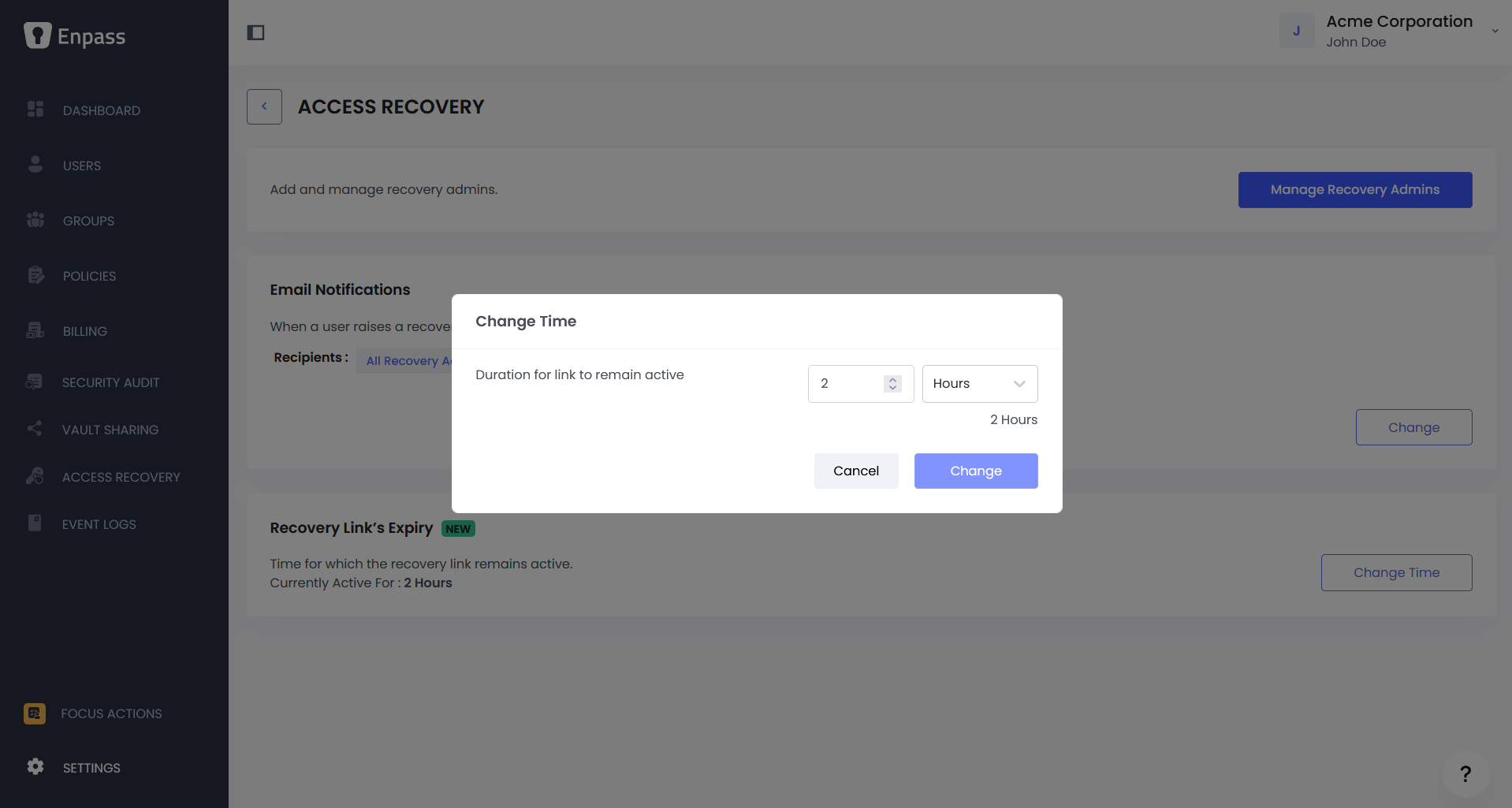
To change the expiry time:
-
In the Admin Console, go to Settings.
-
Click on Access Recovery.
-
Under Recovery Link Expiry Time, click Change Time.
-
Select Hours or Days from the dropdown, then enter the desired duration.
-
Click Change to apply.
Tip: Set a window that gives employees enough time to act, while keeping the validity period short enough to limit risk. For most organizations, 2 to 24 hours is a reasonable range.