.svg)
Generating passwords using the Enpass browser extension
The Enpass Assistant mini-window and the Enpass Autofill pop-up can be used to generate passwords independent of any Items you have saved in Enpass.
To generate a password using the Enpass Assistant mini-window:
-
Click the password field you want to fill with your strong password.
-
Click the Enpass icon on the browser toolbar.
-
Type your Master Password if asked, then click the Generate Password icon.
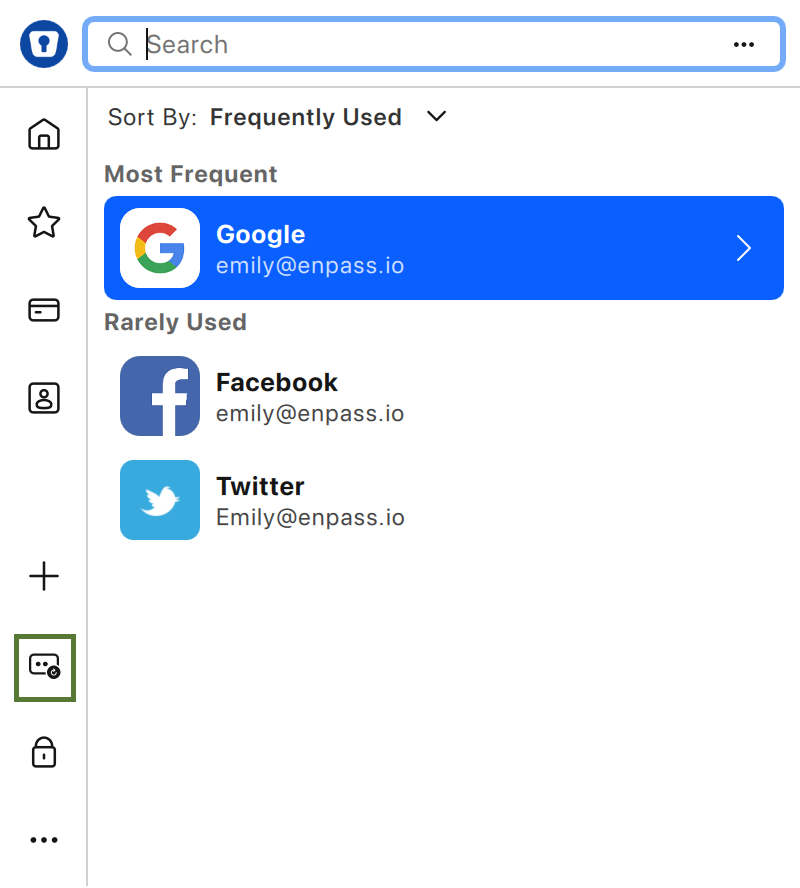
-
Click Fill to use the suggested password.
-
Or make adjustments to the suggested password with the provided tools before clicking Fill.
-
To generate a password using the Enpass autofill pop-up:
-
Click the Password Generator icon on the Enpass pop-up.
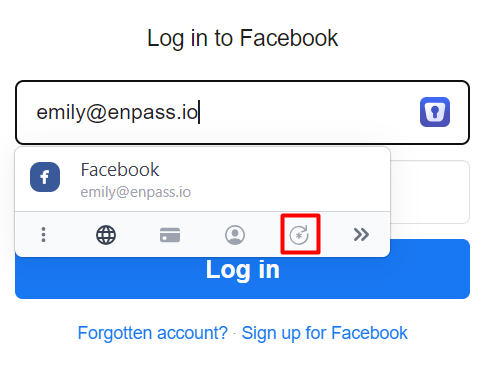
-
Click Fill to use the suggested password.
-
Or make adjustments to the suggested password with the provided tools before clicking Fill.
-
When a website’s password rules can be detected, Enpass automatically generates compatible passwords. These rules can also be manually adjusted within the Password Generator.